
The Environment
- Clinical and administrative staff using shared and assigned workstations
- Recurring help desk tickets from repeated workstation issues
- Inconsistent device configurations across users and departments
- Missing or outdated applications on some devices
- Limited standardization for new workstation setup
- Support delays caused by inconsistent troubleshooting steps
What ITAD4Me Did
- Reviewed common ticket patterns and recurring workstation issues
- Identified configuration differences across devices
- Created a standard workstation image for clinic users
- Standardized required applications and baseline settings
- Improved update and patch consistency
- Documented workstation setup and support procedures
- Aligned device configuration with clinical and administrative workflows
- Reduced variation between user environments
- Improved help desk troubleshooting consistency
The Results
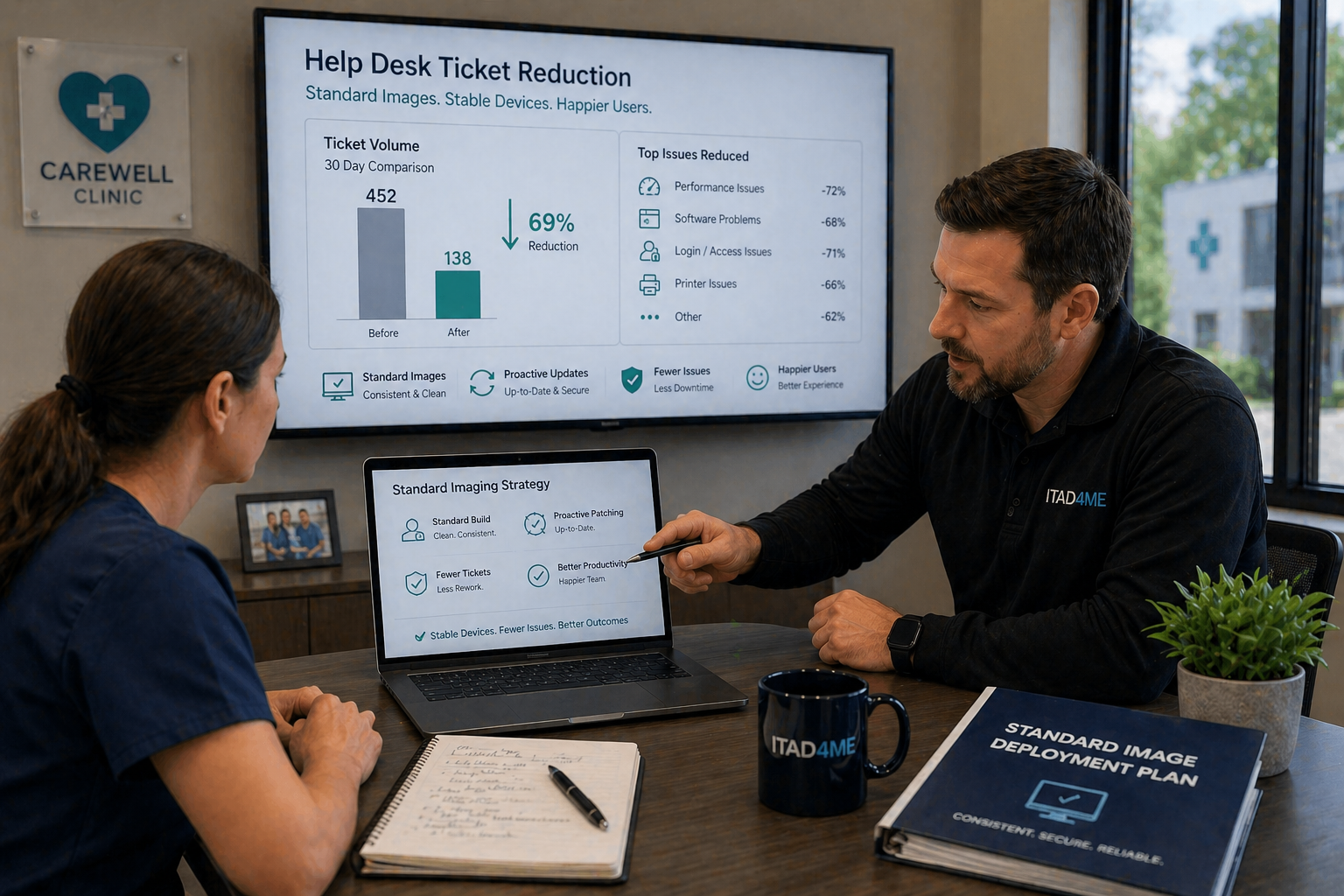
- Reduced recurring workstation-related support tickets
- Improved consistency across clinic devices
- Faster workstation setup for new or replacement devices
- More predictable user experience for staff
- Reduced support time spent on repeated issues
- Created a stronger foundation for ongoing managed IT support
Related Services Used
This case study connects to Managed IT Services , Help Desk , Endpoint Management , Technology Audits & Risk Assessment , Cybersecurity .
Background
The clinic depended on reliable workstations for daily patient care, scheduling, communication, billing, and administrative work. Over time, devices were configured inconsistently, which created recurring support issues.
Some workstations had different application versions, missing tools, outdated settings, or inconsistent user configurations. These differences made help desk support slower and created avoidable disruption for staff.
The clinic needed a more consistent device foundation.
The Business Risk
Inconsistent workstation environments created several risks:
- Recurring support tickets from repeated device issues
- Lost staff time due to avoidable workstation problems
- Slower onboarding for new or replacement devices
- Inconsistent access to required applications
- Greater troubleshooting complexity for support teams
- Increased risk from outdated or uneven configurations
Without standardization, the same issues would continue returning.
ITAD4Me’s Approach
ITAD4Me started by reviewing recurring support tickets and identifying common workstation problems. The goal was not just to fix individual issues, but to understand why the same issues kept happening.
The device environment was reviewed for differences in applications, settings, updates, user experience, and support procedures. ITAD4Me then created a standard workstation image and baseline configuration that matched the clinic’s daily workflows.
This included required applications, consistent settings, update standards, and documentation for future device setup. The support process was also improved so help desk troubleshooting could follow a more consistent path.
Outcome
The clinic now has a more consistent and supportable workstation environment.
Recurring tickets tied to device variation were reduced, new workstation setup became easier, and staff experienced fewer avoidable disruptions. The clinic also gained a stronger foundation for ongoing managed IT services, endpoint management, and security improvement.
Services Connected to This Case Study
This engagement directly relates to Managed IT Services, Help Desk, Endpoint Management, Technology Audits & Risk Assessment, and Cybersecurity.
Standardized devices reduce friction, improve support speed, and create a more stable IT environment for healthcare teams.