
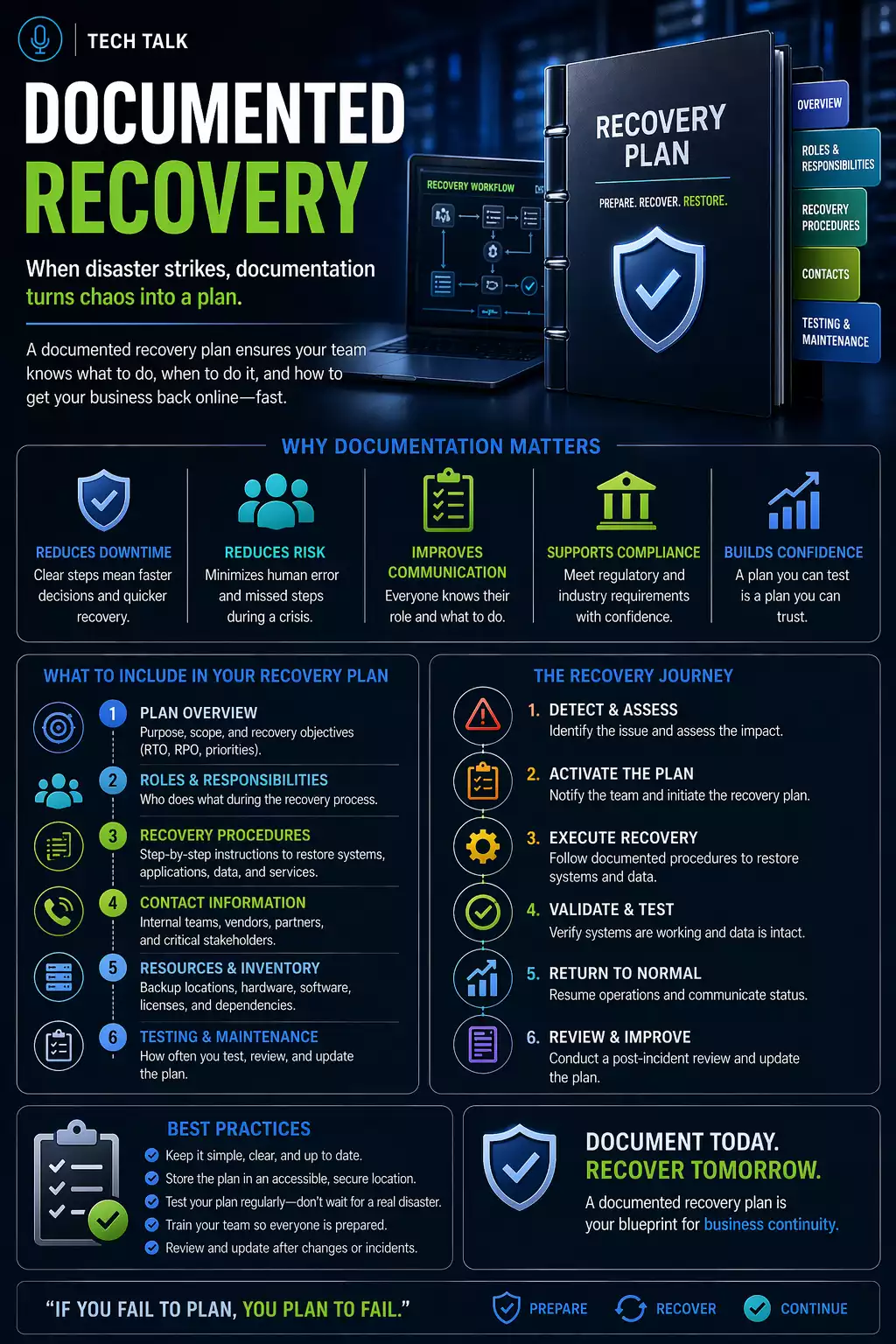
Why Documentation Matters in Recovery
Many businesses rely on:
- experienced staff
- informal knowledge
- assumptions about recovery
This works — until something goes wrong.
Recovery that depends on memory or assumptions will fail under pressure.
During an incident:
- stress increases
- time is limited
- decisions must be made quickly
Without documentation:
- confusion delays recovery
- mistakes increase
- downtime extends
What a Real Recovery Without Documentation Looks Like
A typical scenario:
- systems fail
- team members try to determine next steps
- procedures are unclear
- responsibilities are undefined
- recovery takes longer than expected
At that point:
- delays compound
- risks increase
- outcomes become unpredictable
Most recovery delays are caused by unclear processes — not missing backups.
What Documented Recovery Processes Actually Do
Documentation provides:
- clear step-by-step instructions
- defined roles and responsibilities
- consistent execution
It answers critical questions:
- what needs to be restored first?
- who is responsible for each step?
- how should recovery be executed?
The Human Factor (Why This Is Critical)
Technology alone does not recover systems.
People do.
Without clear processes:
- teams may act inconsistently
- critical steps may be missed
- decisions may be delayed
Recovery success depends as much on people and process as it does on technology.
What Should Be Documented
A complete recovery process should include:
System Inventory
- list of critical systems
- dependencies between systems
Recovery Prioritization
- which systems must be restored first
- business impact of each system
Step-by-Step Procedures
- how to restore systems
- how to access backups
- how to validate recovery
Roles and Responsibilities
- who leads recovery
- who performs technical tasks
- who communicates with stakeholders
Communication Plan
- internal communication
- customer communication
- escalation procedures
Step-by-Step: How to Create Recovery Documentation
Step 1: Identify Critical Systems
Determine:
- which systems are essential
- how they support business operations
Step 2: Map Dependencies
Understand:
- which systems rely on others
- order of restoration
Missing dependencies can delay recovery even when backups are available.
Step 3: Define Recovery Objectives
Establish:
- recovery time (RTO)
- acceptable data loss (RPO)
Step 4: Document Recovery Steps
Create clear instructions:
- where backups are located
- how to initiate recovery
- how to restore systems
Step 5: Assign Roles
Define:
- who is responsible for each task
- backup roles if primary staff are unavailable
Step 6: Include Validation Steps
Ensure recovery includes:
- system testing
- data verification
- user access validation
Step 7: Test the Process
Documentation must be validated through testing.
What Commonly Goes Wrong
Without proper documentation:
- steps are skipped
- dependencies are missed
- recovery is inconsistent
Even with documentation:
- outdated processes may fail
- changes may not be reflected
Documentation must be maintained — not just created.
How Documentation Improves Recovery Time
Clear processes:
- reduce confusion
- speed up decision-making
- ensure consistent execution
This directly impacts
recovery time
How Documentation Fits Into a Full Strategy
Documentation works alongside:
- backups
- recovery infrastructure
- testing
It is a core part of
disaster recovery planning
How to Know If You Have a Gap
You may be at risk if:
- recovery steps are not documented
- only one person understands the process
- roles are unclear
- processes have never been tested
If your recovery process exists only in someone’s head, it is not reliable.
What This Means for Your Business
Recovery is not just technical.
It is operational.
Clear documentation transforms recovery from a reactive effort into a controlled process.
Final Thoughts
Backups provide data.
Processes restore operations.
Without documented processes:
- recovery becomes uncertain
- downtime increases
Need help with this topic?
Make sure your backups actually work when it matters.
Most businesses discover backup failures during an outage. We help you validate recovery, reduce downtime risk, and build a system that works under pressure.
- Backup validation and testing
- Recovery time optimization
- Clear recovery documentation


