
Why Traditional Backup Strategies Fail Against Ransomware
Older backup strategies were designed for:
- hardware failure
- accidental deletion
- system crashes
Modern ransomware attacks are different.
Attackers:
- gain access to your environment
- escalate privileges
- locate backup systems
- delete or encrypt backups
- then execute the attack
Ransomware is designed to eliminate your ability to recover — not just disrupt your systems.
What a Real Ransomware Attack Looks Like
A typical attack unfolds in stages:
- initial access (phishing, vulnerability, credentials)
- lateral movement across systems
- privilege escalation
- identification of backups
- deletion or encryption of backup data
- execution of ransomware
By the time systems are locked:
- recovery options may already be gone
The attack is often successful before encryption even begins.
The Core Principle: Assume Compromise
A ransomware-ready strategy starts with one assumption:
👉 attackers will gain access to your environment
This changes everything.
Instead of asking:
- “Do we have backups?”
You must ask:
- “Can attackers destroy our backups?”
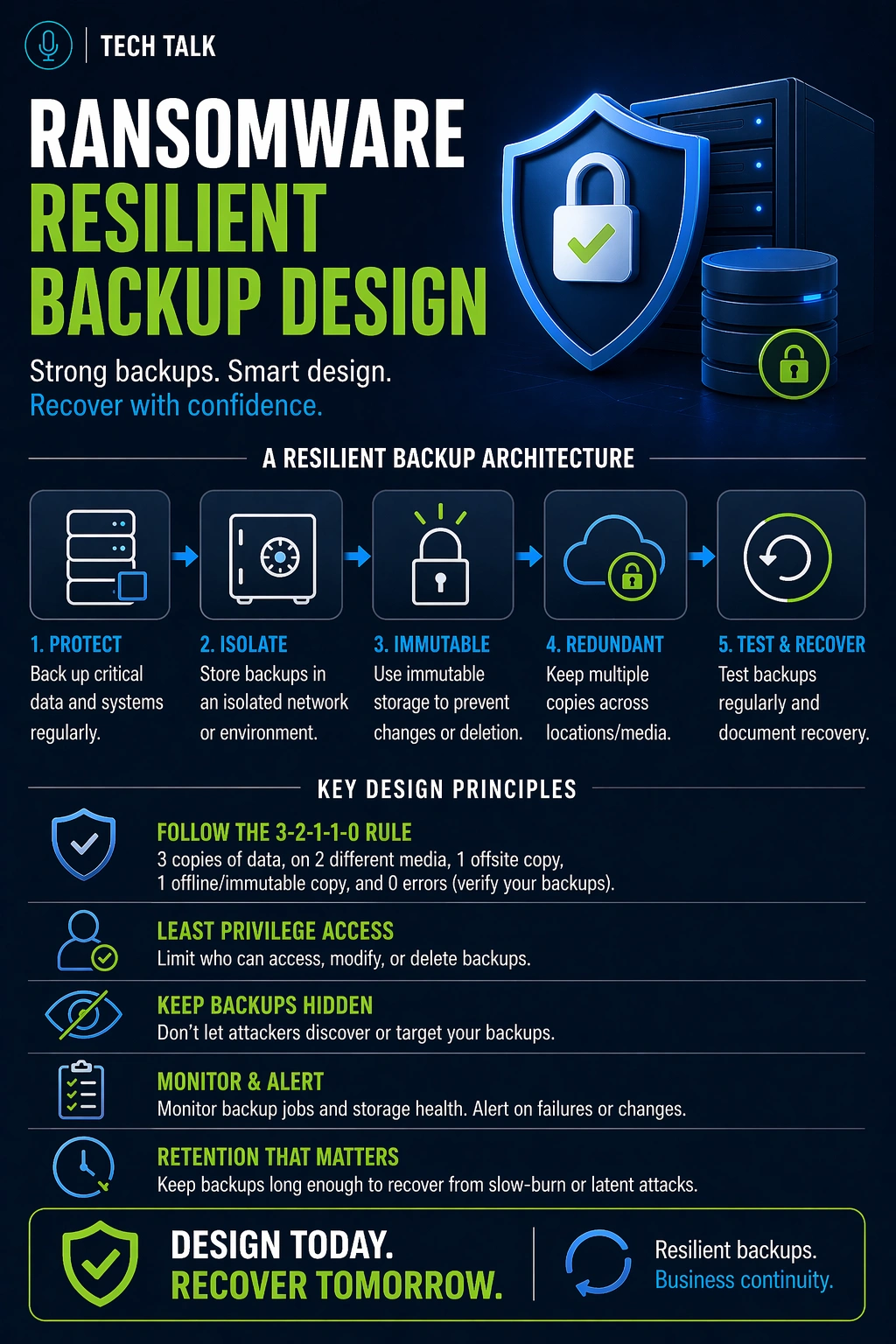
The Layers of a Ransomware-Resilient Backup Strategy
A strong design includes multiple layers.
1. Isolation (Prevent Direct Access)
Backups must be separated from production systems.
This includes:
- separate storage environments
- restricted access paths
- limited credential exposure
If backups are accessible from your main network, they are vulnerable.
2. Immutability (Prevent Modification)
Backups must be protected from:
- deletion
- encryption
- modification
This is achieved through:
- immutable storage
- retention locks
3. Redundancy (Multiple Copies)
You must maintain:
- multiple backup copies
- multiple locations
This aligns with the
3-2-1 backup rule
4. Retention (Preserve Clean Data)
Retention must be long enough to:
- outlast detection delays
- preserve clean recovery points
5. Access Control (Limit Exposure)
Backup systems should:
- use separate credentials
- restrict administrative access
- enforce least privilege
6. Encryption (Protect Data Exposure)
Backups must be encrypted:
- at rest
- in transit
This prevents data exposure if accessed.
7. Testing (Validate Recovery)
Recovery must be tested regularly.
Without testing:
- recovery success is unknown
- timelines are unreliable
The Hidden Risk: Detection Delay
Ransomware often remains undetected.
During this time:
- compromised data is backed up
- clean data is overwritten
This makes retention and immutability critical.
Your strategy must preserve clean data even when compromise is not immediately detected.
What Breaks Most Backup Strategies
Common weaknesses include:
- backups accessible from production network
- no immutable storage
- short retention windows
- lack of testing
- shared credentials
These gaps lead to
backup failures
What a Real Ransomware-Resilient Architecture Looks Like
A modern design typically includes:
- local backup for fast recovery
- offsite backup for redundancy
- immutable storage for protection
- isolated access controls
Each layer solves a different problem.
No single control is sufficient — resilience requires multiple layers working together.
Why Backup Alone Is Not Enough
Even with strong backups:
- recovery processes must exist
- systems must be rebuilt
- operations must be restored
See
disaster recovery vs backup
How to Know If Your Strategy Is Vulnerable
You may have a gap if:
- backups are accessible from your network
- immutability is not enabled
- retention is under 30 days
- recovery has not been tested
If attackers could access your backups, your recovery is at risk.
What This Means for Your Business
Ransomware resilience is not about prevention alone.
It is about ensuring recovery is always possible.
The ability to recover is your strongest defense against ransomware.
Final Thoughts
Backup strategies must evolve to match modern threats.
Without the right design:
- backups can be compromised
- recovery can fail
Need help with this topic?
Make sure your backups actually work when it matters.
Most businesses discover backup failures during an outage. We help you validate recovery, reduce downtime risk, and build a system that works under pressure.
- Backup validation and testing
- Recovery time optimization
- Clear recovery documentation


