Why “MFA Enabled” Is Not the Same as “Identity Risk Managed”
MFA is a control.
Conditional access decides when that control (and others) should fire based on context: location, device health, application sensitivity, and real-time risk signals.
Without conditional access, businesses often end up with:
- MFA fatigue on every login
- or dangerous exceptions “for executives”
- or legacy protocols that quietly bypass modern protections
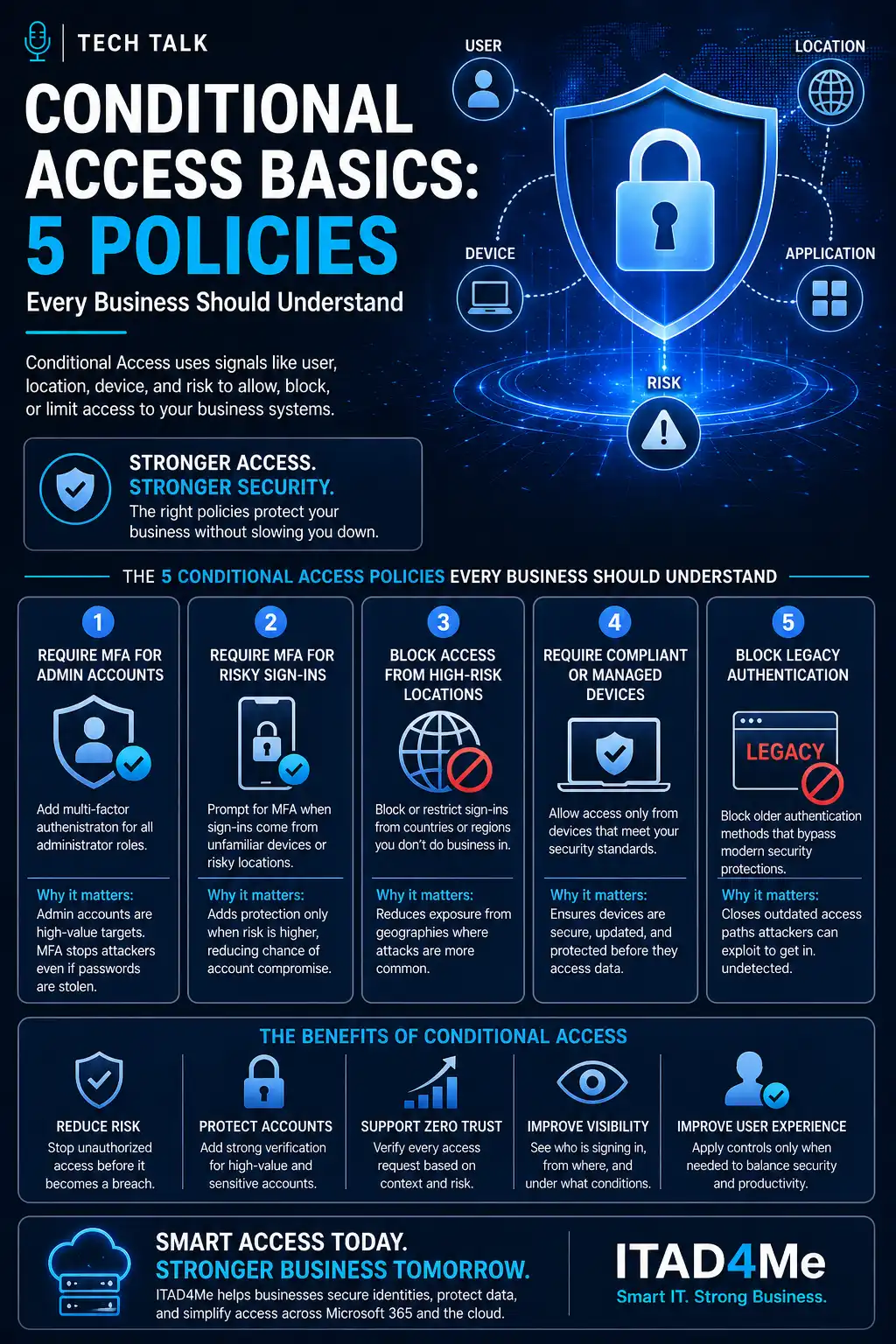
If you are new to the concepts, read conditional access basics: 5 policies first—this article assumes you want a minimum viable policy stack you can defend to leadership.
Attackers do not care whether you “have MFA” if they can still authenticate through legacy clients or compromised guest paths.
Policies Almost Every Tenant Should Consider
1. Block or tightly limit legacy authentication
Legacy protocols are a favorite path for password-spray and automated abuse because they skip modern protections.
Goal: reduce anonymous-feeling “it worked yesterday” sign-ins that never show up in your conditional access reports the way browser logins do.
2. Require phishing-resistant MFA for privileged roles
Global admins, Exchange admins, and security operators should not be protected by SMS alone.
Align this with what to require for MFA in Microsoft 365.
3. Require compliant sign-in for sensitive apps
Pick a short list: email admin surfaces, payroll, VPN portals, or customer record systems integrated via Entra SSO.
Goal: stop “any laptop on the internet” from becoming a valid path to crown jewels.
4. Guest and external collaboration rules
Guests are not evil—they are uncontrolled endpoints.
Policies should answer: which apps guests may access, from where, and whether downloads are appropriate.
5. Session controls for high-risk contexts
Examples: shorten session lifetime on unmanaged devices, or require re-authentication when risk spikes.
Real-World Example
A professional services firm enabled MFA for all users—but left legacy IMAP available for one legacy scanner workflow.
Attackers never “tricked MFA.” They used the protocol path that never challenged them.
Closing legacy auth broke the scanner until IT moved it to a modern SMTP relay—a small project compared to explaining a breach to clients.
Where This Connects to Professional Help
- Microsoft 365 security services align tenant controls with how your business actually works.
- Identity & MFA operations should include policy review—not only license clicks.
For broader identity context, see identity access security.
Related Reading
Final Thoughts
Conditional access is not about being strict—it is about being intentional.
If you can explain each policy in one sentence to a non-technical owner, you are probably on the right track.
If you cannot, the policy will not survive the next busy season— and neither will your security posture.
Need help with this topic?
Make sure your backups actually work when it matters.
Most businesses discover backup failures during an outage. We help you validate recovery, reduce downtime risk, and build a system that works under pressure.
- Backup validation and testing
- Recovery time optimization
- Clear recovery documentation