
Why Onboarding and Offboarding Matter for Security
Every employee account is a potential entry point into your business systems.
From the moment an employee is hired to the moment they leave, access must be:
- controlled
- documented
- monitored
- updated
Without a structured process:
- users may receive too much access
- access may not be removed on time
- accounts may remain active after departure
- sensitive systems may be exposed
👉 Identity access management is not just about security tools—it is about process discipline.
Many security incidents are caused by access that should have been removed but was not.
What Is Onboarding and Offboarding?
Onboarding
Onboarding is the process of:
👉 creating user accounts and granting appropriate access when an employee joins
Offboarding
Offboarding is the process of:
👉 removing or securing access when an employee leaves or changes roles
These processes directly affect:
- data security
- system integrity
- compliance
- business continuity
Why Access Control Is Critical
When access is not managed correctly:
- former employees may retain access
- shared accounts may be misused
- permissions may accumulate over time
- attackers may exploit inactive accounts
This creates:
- security vulnerabilities
- compliance risks
- operational issues
Related reading:
The Cost of Poor Offboarding
Failing to remove access can result in:
- unauthorized data access
- account misuse
- insider threats
- data exfiltration
- compliance violations
In many cases:
👉 the risk is invisible until something goes wrong
Onboarding Checklist: Secure Setup from Day One
A structured onboarding process ensures new employees have what they need—without creating unnecessary risk.
1. Create User Accounts
- create Microsoft 365 account
- assign unique username
- enforce strong password policy
2. Assign Roles and Permissions
- apply least privilege access
- assign role-based permissions
- avoid excessive access
3. Enable Security Controls
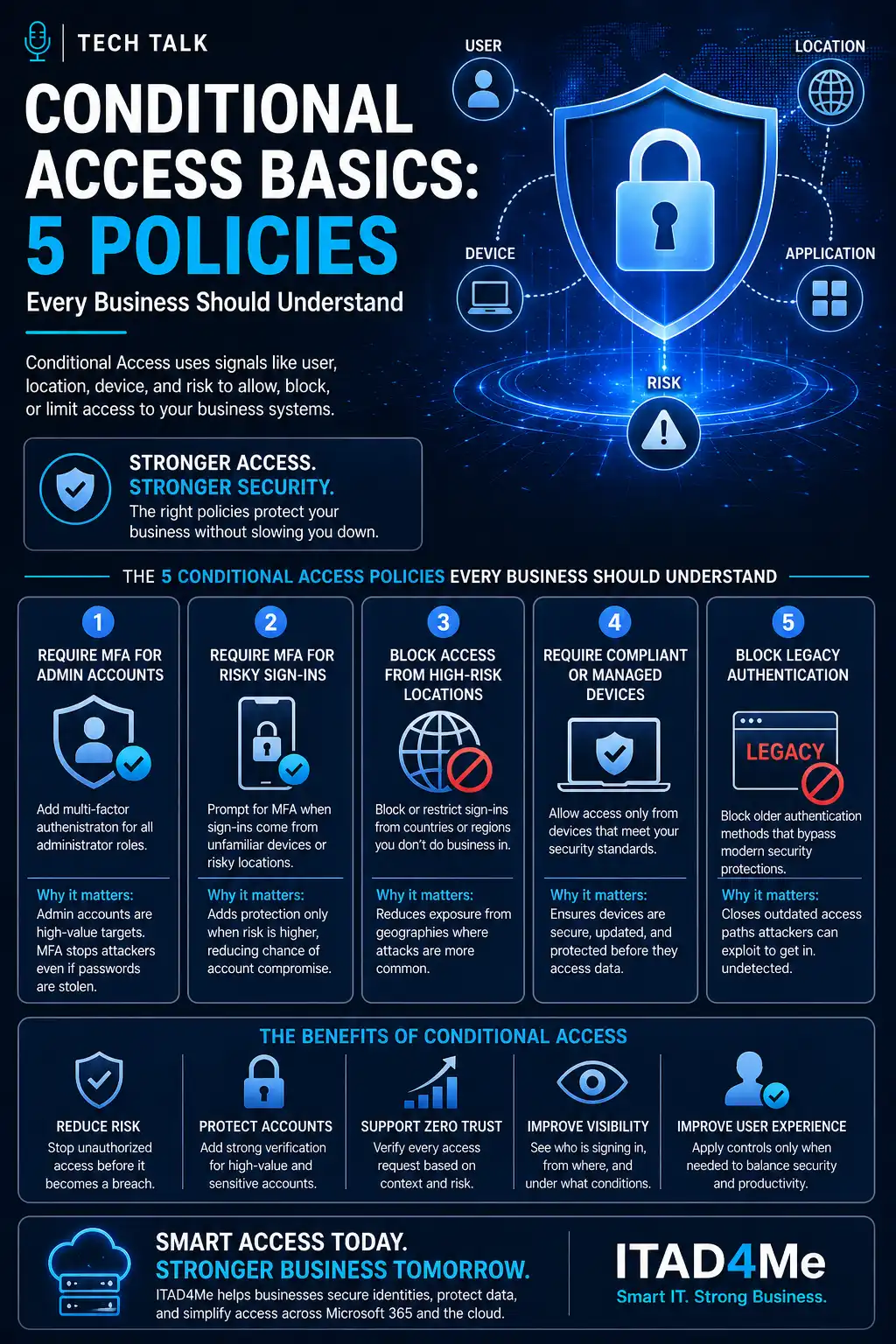
- require multi-factor authentication
- apply conditional access policies
- enforce login protections
Related reading:
4. Configure Devices
- provision company devices
- apply endpoint protection
- ensure device compliance
5. Grant Application Access
- assign only required applications
- review licenses
- avoid unnecessary integrations
6. Document Access
- track permissions assigned
- record system access
- maintain audit records
7. Train the User
- provide security awareness basics
- explain login procedures
- reinforce acceptable use
Secure onboarding ensures users start with the right access—not excessive access.
Offboarding Checklist: Remove Risk Immediately
Offboarding must be immediate and structured.
Delays increase risk.
1. Disable User Accounts
- disable Microsoft 365 account
- revoke login sessions
- block sign-in
2. Remove Access to Systems
- revoke application access
- remove VPN access
- disable remote access
Related reading:
3. Secure Data
- transfer ownership of files
- archive email data
- protect sensitive documents
4. Revoke Device Access
- collect company devices
- remove device access
- wipe or reset devices
5. Remove Permissions and Roles
- remove admin roles
- revoke group memberships
- eliminate shared access
6. Disable Third-Party Access
- remove integrations
- revoke API access
- disable external connections
7. Document the Process
- log offboarding actions
- confirm access removal
- maintain audit trail
Delays in offboarding—even by a few hours—can create unnecessary exposure.
Role Changes: The Overlooked Risk
Not all access changes involve employees leaving.
When employees change roles:
- old permissions may remain
- new permissions may be added
- access may accumulate over time
This leads to:
👉 privilege creep
To prevent this:
- review access during role changes
- remove unnecessary permissions
- reapply least privilege principles
Automating Onboarding and Offboarding
Manual processes are prone to error.
Automation can improve:
- consistency
- speed
- accuracy
- auditability
Automation may include:
- identity management tools
- provisioning workflows
- conditional access enforcement
- directory synchronization
Related service:
How This Supports Zero Trust
Zero Trust focuses on:
👉 verifying access continuously
Onboarding and offboarding support Zero Trust by:
- ensuring only valid users have access
- removing access when no longer needed
- enforcing identity-based controls
Combined with:
- conditional access
- MFA
- device compliance
This creates a stronger security posture.
Common Mistakes Businesses Make
Avoid these:
- delaying offboarding
- using shared accounts
- not tracking permissions
- failing to review access regularly
- ignoring role changes
- relying on manual processes only
- not auditing access
These mistakes lead to:
- hidden vulnerabilities
- increased attack surface
- compliance risks
Signs Your Process Needs Improvement
Warning signs include:
- employees retain access after leaving
- no documented onboarding process
- inconsistent permission assignment
- unused accounts remain active
- access reviews are not performed
- IT and HR are not aligned
If you cannot confirm who has access to what systems at any time, your process needs improvement.
What This Means for Your Business
Onboarding and offboarding are not just administrative tasks.
They are:
👉 critical security controls
When managed correctly:
- access is controlled
- risk is reduced
- systems are protected
When ignored:
- vulnerabilities increase
- data may be exposed
- compliance risks grow
Security begins and ends with identity. Managing access properly protects everything in between.
Final Thoughts
Every employee lifecycle event impacts your security posture.
From onboarding to offboarding, access must be:
- intentional
- controlled
- reviewed
- documented
The goal is simple:
👉 ensure the right people have the right access at the right time—and no more.
Next Step
If your onboarding and offboarding processes are inconsistent or manual, now is the time to strengthen them.
Start by reviewing:
- how access is assigned
- how access is removed
- how permissions are tracked
- how processes are documented
Need help with this topic?
Make sure your backups actually work when it matters.
Most businesses discover backup failures during an outage. We help you validate recovery, reduce downtime risk, and build a system that works under pressure.
- Backup validation and testing
- Recovery time optimization
- Clear recovery documentation