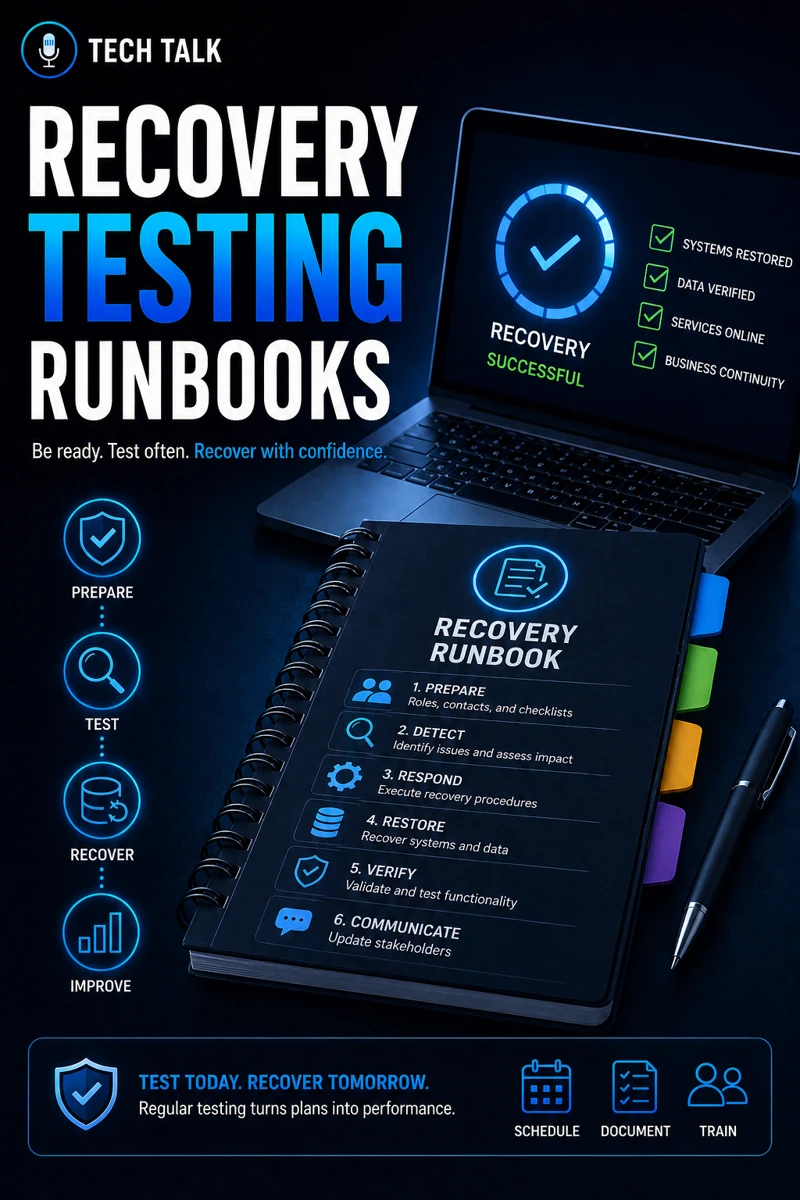
What Recovery Testing Runbooks Really Mean
Recovery testing runbooks are step-by-step procedures that define:
- how systems are restored
- who performs each action
- what tools are used
- how success is verified
They turn recovery into a repeatable process.
Without runbooks:
- recovery depends on memory
- steps are missed
- downtime increases
If you need foundational context, see backup validation what good looks like.
If recovery is not documented and tested, it is not reliable.
Why Recovery Testing Is Critical
Backups alone are not enough.
You must confirm:
- data can be restored
- systems can be rebuilt
- processes work under pressure
This becomes critical during events outlined in ransomware readiness 60-minute executive checklist.
What a Runbook Actually Contains
A recovery runbook includes:
- system inventory
- recovery steps
- dependencies
- validation procedures
Each section must be:
- clear
- actionable
- repeatable
System Identification
Define:
- which systems are covered
- priority levels
Step-by-Step Recovery Instructions
Document:
- exact steps
- commands or tools
- order of execution
Dependencies
Identify:
- systems required for recovery
- external services
Validation Steps
Confirm:
- system functionality
- data integrity
A runbook is not documentation — it is an operational tool used during real incidents.
The Hidden Risk: Untested Runbooks
Many organizations:
- create documentation
- never test it
This leads to:
- inaccurate steps
- missing details
- failed recovery
An untested runbook is as risky as having no runbook at all.
How Recovery Testing Works
Testing involves:
- simulating failures
- executing runbooks
- validating outcomes
Types of Recovery Tests
Tabletop Testing
- walkthrough scenarios
- discussion-based
Partial Restore Testing
- restoring specific systems or data
Full Recovery Testing
- simulating complete system failure
Each level provides increasing confidence.
The Role of Runbooks in Incident Response
Runbooks are essential during:
- active incidents
- high-pressure situations
They ensure:
- consistent execution
- reduced decision-making delays
This aligns with incident response plan basics.
During an incident, teams follow runbooks — not assumptions.
The Role of Runbooks in Ransomware Recovery
Ransomware recovery depends on:
- restoring systems quickly
- avoiding reinfection
- validating clean environments
Runbooks provide:
- structured recovery
- predictable outcomes
This aligns with ransomware readiness 60-minute executive checklist.
The Role of Endpoint Security During Recovery
Endpoints must be secured during recovery.
This includes:
- detecting threats
- preventing reinfection
This aligns with endpoint security basics edr vs antivirus.
The Role of Patch Management
Recovered systems must be:
- updated
- secured
This aligns with patch management smb.
The Complexity of Recovery
Recovery involves:
- multiple systems
- dependencies
- coordination
This creates:
- complexity
- potential failure points
What a Mature Recovery Process Looks Like
A strong recovery program includes:
- documented runbooks
- scheduled testing
- assigned roles
- continuous updates
It must also align with:
- backup validation
- incident response
Recovery testing should be performed regularly to ensure readiness.
How Recovery Runbooks Impact Business Operations
Runbooks directly affect:
- downtime duration
- recovery speed
- operational continuity
Without them:
- recovery is inconsistent
- outages last longer
Structured recovery processes reduce downtime and business disruption.
How to Know If You Lack Recovery Readiness
You may have a gap if:
- recovery steps are undocumented
- backups have not been tested
- no recovery drills have been performed
- recovery time is unknown
If your team has never practiced recovery, your readiness is low.
How to Build Recovery Testing Runbooks
Start with:
- identifying critical systems
- documenting recovery steps
- defining roles and responsibilities
- testing regularly
These steps align with broader cybersecurity practices.
How This Connects to Other Cybersecurity Topics
Recovery runbooks connect to:
- backup validation what good looks like
- incident response plan basics
- ransomware readiness 60-minute executive checklist
- patch management smb
- cyber insurance controls
What This Means for Your Business
Your recovery readiness determines:
- how quickly systems are restored
- how much downtime occurs
- how effectively incidents are handled
It is not optional.
It is essential.
Recovery is only reliable when it has been tested and practiced.
Final Thoughts
Recovery testing runbooks turn uncertainty into structure.
When done correctly:
- recovery is faster
- teams are confident
- risk is reduced
Need help with this topic?
Make sure your backups actually work when it matters.
Most businesses discover backup failures during an outage. We help you validate recovery, reduce downtime risk, and build a system that works under pressure.
- Backup validation and testing
- Recovery time optimization
- Clear recovery documentation