What Conditional Access Really Means
Conditional Access (CA) is a Microsoft 365 security feature that controls:
- who can access systems
- under what conditions
- from which devices or locations
It enforces rules such as:
- requiring MFA
- blocking risky logins
- restricting access
If you need MFA context, see microsoft 365 mfa what to require and for who.
MFA alone is not enough — Conditional Access determines how it is enforced.
Why Conditional Access Is Critical
Without Conditional Access:
- MFA may be inconsistent
- risky logins may go unchecked
- attackers have more opportunities
Conditional Access allows:
- smarter security decisions
- reduced risk exposure
This is especially important in attacks like business email compromise.
The Biggest Risk: Default or Minimal Configuration
Many organizations:
- enable MFA
- stop there
This creates:
- incomplete protection
- exploitable gaps
Default configurations are not designed for strong security.
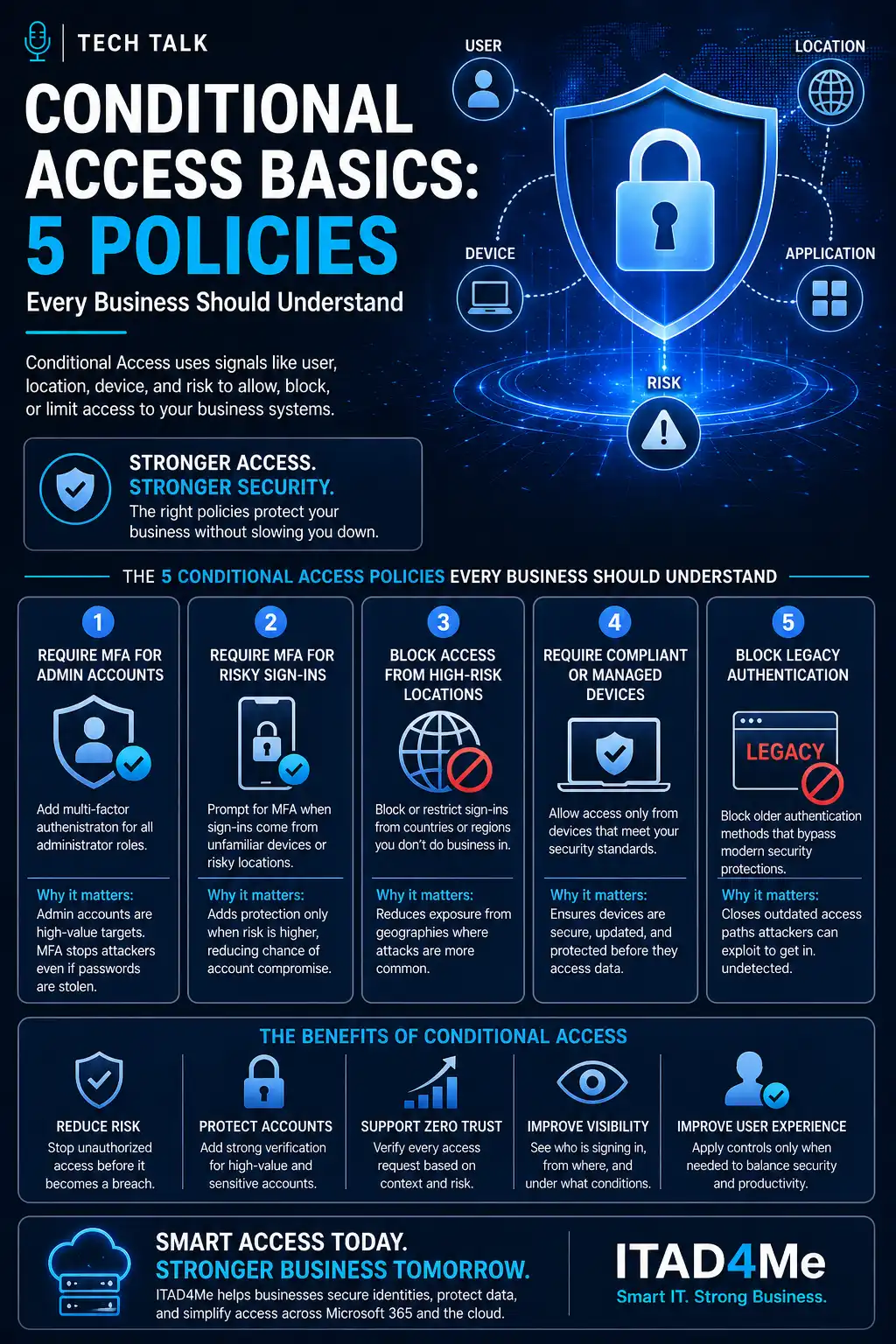
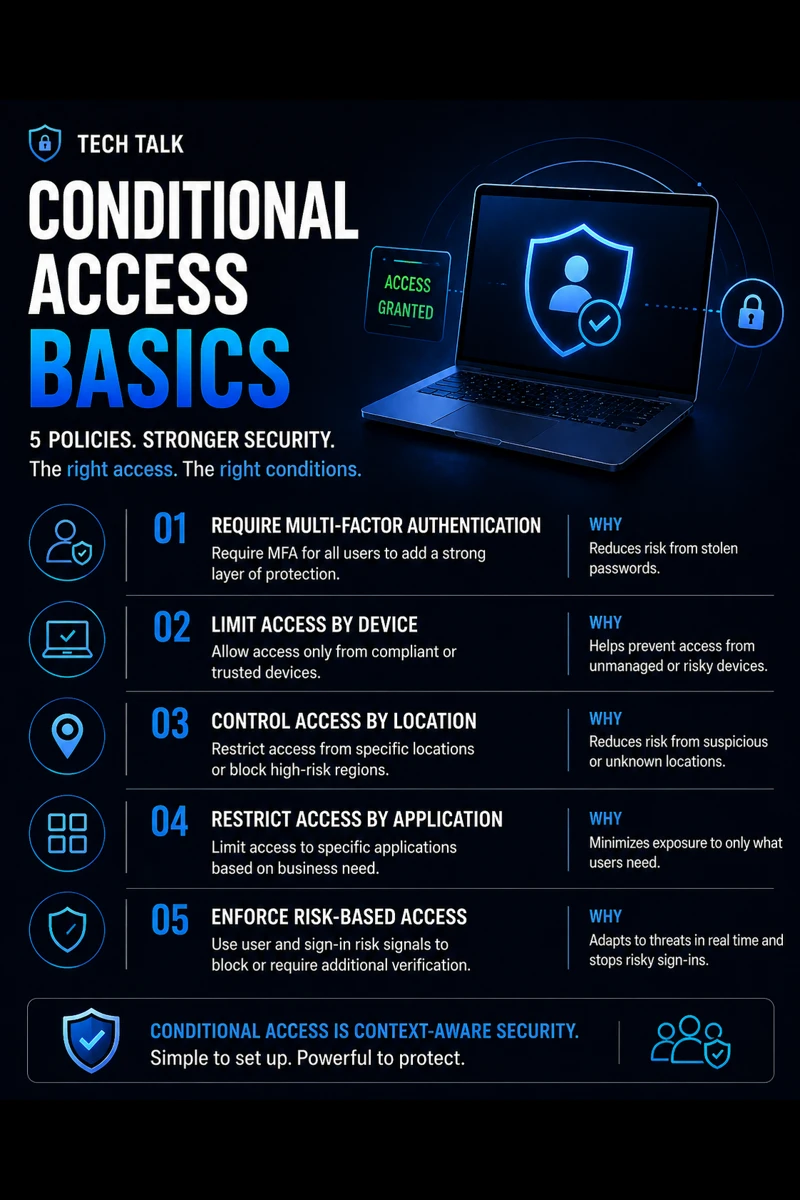
The 5 Essential Conditional Access Policies
These five policies provide a strong foundation.
1. Require MFA for All Users
This policy ensures:
- all users must verify identity
- credential theft is less effective
It should apply to:
- all users
- all cloud apps
This aligns with why mfa fails.
MFA must be enforced universally to be effective.
2. Require MFA for Admin Accounts (Strict Policy)
Admin accounts need:
- stronger enforcement
- stricter conditions
This policy should:
- require MFA every time
- restrict access conditions
Admin compromise leads to:
- full system control
3. Block Legacy Authentication
Legacy authentication:
- does not support MFA
- is commonly exploited
This policy should:
- block all legacy protocols
This prevents:
- automated attacks
- credential stuffing
4. Restrict Access by Location (Geo/IP Controls)
This policy allows you to:
- block risky regions
- allow trusted locations
It helps reduce:
- unauthorized access attempts
This is especially useful against:
- automated attacks
- foreign login attempts
5. Require Compliant or Managed Devices
This policy ensures:
- only secure devices can access systems
It helps prevent:
- compromised endpoints
- unmanaged device access
This aligns with endpoint security basics edr vs antivirus.
These five policies form the foundation of modern identity security.
The Hidden Risk: Overly Complex Policies
Some organizations:
- create too many policies
- create conflicting rules
This leads to:
- misconfiguration
- unintended access
Complex policies can create gaps instead of closing them.
The Role of Conditional Access in Phishing Defense
Conditional Access helps:
- block risky logins
- enforce MFA
- reduce account takeover
This aligns with phishing defense real world.
The Role of Conditional Access in Incident Response
During incidents:
- policies can block access
- compromised accounts can be restricted
This aligns with incident response plan basics.
Conditional Access can contain threats before they spread.
The Role of Patch and Device Management
Device compliance policies depend on:
- updated systems
- secure configurations
This aligns with patch management smb.
The Role of Cyber Insurance Requirements
Many insurers require:
- MFA enforcement
- access controls
Conditional Access helps meet:
- compliance standards
This aligns with cyber insurance controls.
The Complexity of Identity Security
Identity security involves:
- user behavior
- device state
- location data
Conditional Access ties all of these together.
What a Strong Conditional Access Setup Looks Like
A strong setup includes:
- core policies implemented
- consistent enforcement
- regular review
It must also align with:
- MFA strategy
- endpoint security
- monitoring
Start with a few strong policies and expand carefully.
How Conditional Access Impacts Business Operations
Conditional Access affects:
- login experience
- security posture
- risk exposure
Poor configuration leads to:
- user frustration
- security gaps
Well-configured policies improve both security and usability.
How to Know If Your Policies Are Weak
You may have a gap if:
- legacy authentication is enabled
- MFA is inconsistent
- device compliance is not enforced
- risky logins are not blocked
If you are unsure how your policies work, your security posture is likely weak.
How to Improve Conditional Access
Start with:
- implementing the 5 core policies
- reviewing configurations
- testing login scenarios
- monitoring activity
These steps align with broader identity security practices.
How This Connects to Other Cybersecurity Topics
Conditional Access connects to:
- microsoft 365 mfa what to require and for who
- why mfa fails
- phishing defense real world
- incident response plan basics
- cyber insurance controls
What This Means for Your Business
Your Conditional Access setup determines:
- who can access systems
- how securely they log in
- how easily attackers gain access
It is not optional.
It is essential.
Conditional Access turns identity security into a controlled and enforceable system.
Final Thoughts
Conditional Access is one of the most powerful security tools available in Microsoft 365.
But only when:
- configured correctly
- enforced consistently
- monitored continuously
Need help with this topic?
Make sure your backups actually work when it matters.
Most businesses discover backup failures during an outage. We help you validate recovery, reduce downtime risk, and build a system that works under pressure.
- Backup validation and testing
- Recovery time optimization
- Clear recovery documentation