Why Ransomware Changes Everything
Ransomware is one of the most disruptive threats businesses face.
When an attack occurs:
- systems become inaccessible
- data may be encrypted
- operations stop immediately
Many organizations assume:
- backups will solve the problem
- systems can be restored quickly
- operations will resume after recovery
But in reality:
- recovery takes time
- systems may remain unavailable
- operations cannot simply pause
Ransomware does not just affect systems — it stops your business from operating.
What Happens During a Ransomware Attack
A typical ransomware incident involves:
-
Initial Compromise
- attacker gains access
- malware is deployed
-
Encryption Phase
- files and systems are locked
- access is denied
-
Operational Disruption
- applications become unavailable
- employees cannot perform tasks
-
Response and Recovery
- incident response begins
- recovery processes are initiated
During this time:
👉 your business may be unable to function
The Role of Business Continuity
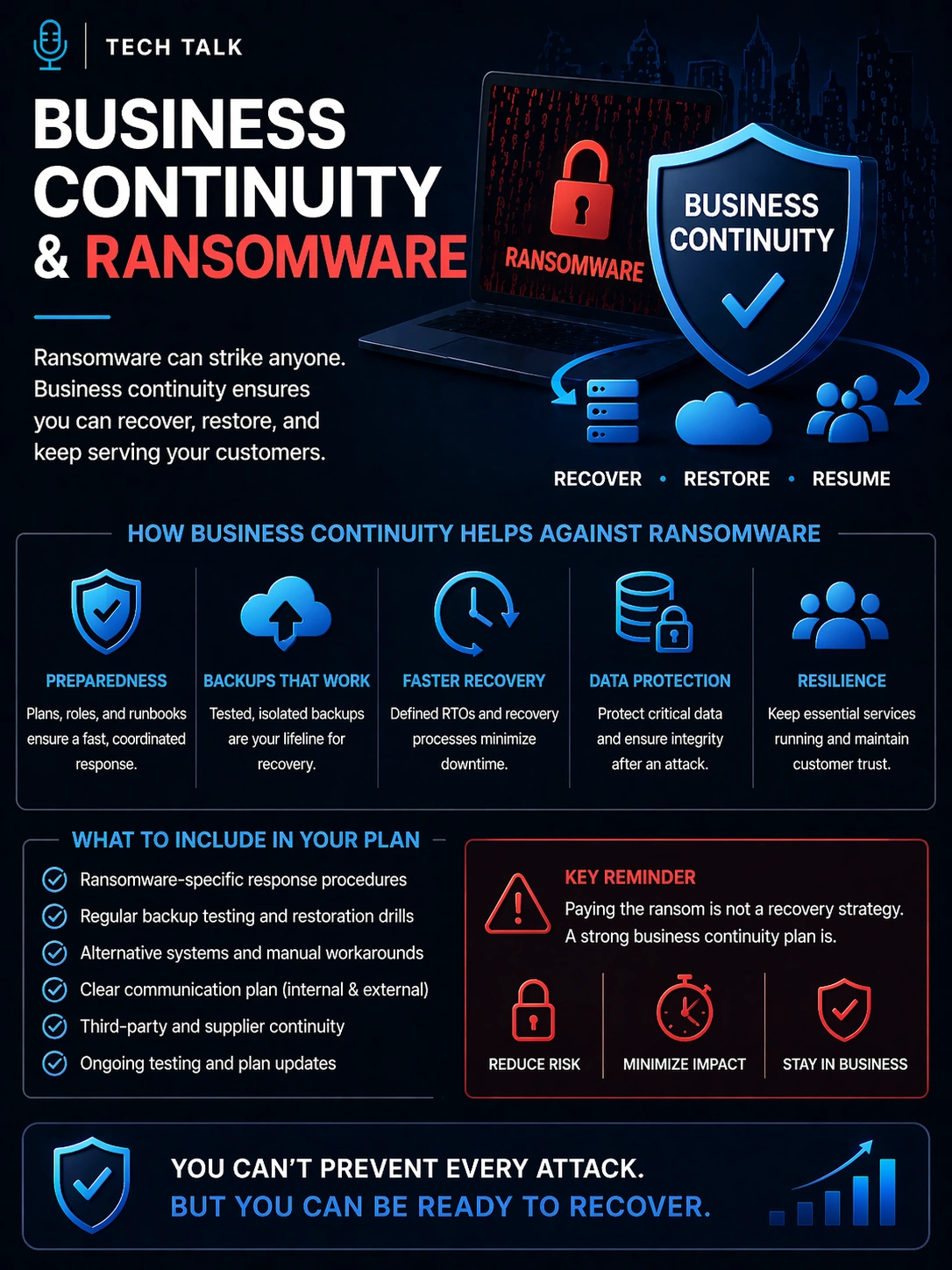
Business continuity ensures:
👉 your organization can continue operating even when systems are unavailable
During ransomware:
- alternative processes are activated
- manual workflows may be used
- communication shifts to fallback channels
Continuity answers:
👉 How does the business keep running while systems are locked?
Ransomware: Continuity vs Recovery
Business Continuity
- Keeps operations running during the attack
- Uses fallback processes and manual workflows
- Maintains service delivery
- Active immediately
Recovery
- Restores systems and data
- Depends on backups and infrastructure
- Returns systems to normal
- Takes time to complete
Recovery restores systems — continuity ensures your business does not stop while that happens.
Why Recovery Alone Is Not Enough
Even with strong backups:
- recovery may take hours or days
- systems may be partially unavailable
- operations cannot resume immediately
Without continuity:
- employees are idle
- customers are impacted
- revenue is lost
This creates:
👉 a gap between system recovery and business operation
How Continuity Reduces Ransomware Impact
A strong continuity strategy helps:
- maintain critical operations
- reduce downtime impact
- keep teams productive
- support customer communication
Examples include:
- manual order processing
- alternative communication channels
- prioritized operations for critical functions
Continuity ensures your business can function — even in a degraded state.
Key Continuity Strategies for Ransomware
To prepare for ransomware:
1. Identify Critical Operations
Define:
- essential business functions
- priority processes
- acceptable downtime
This ensures:
👉 focus during disruption
2. Develop Fallback Processes
Create alternatives for:
- system-dependent workflows
- communication channels
- critical operations
3. Strengthen Communication Planning
Ensure:
- clear internal communication
- consistent customer updates
- defined escalation paths
4. Integrate Incident Response and Continuity
Ransomware response requires coordination between:
- security teams
- IT teams
- business operations
This ensures:
👉 a unified response
5. Test Ransomware Scenarios
Run exercises that simulate:
- system lockout
- data unavailability
- operational disruption
Testing reveals:
- gaps in planning
- weaknesses in execution
What Happens Without Continuity During Ransomware
Without continuity planning:
- operations stop completely
- teams wait for recovery
- customer impact increases
- financial losses escalate
Recovery may succeed — but the business suffers.
Without continuity, ransomware turns into full business shutdown — not just a technical incident.
Common Ransomware Continuity Mistakes
Organizations often:
- rely solely on backups
- underestimate recovery time
- lack fallback processes
- fail to test ransomware scenarios
- overlook communication planning
These mistakes lead to:
- prolonged disruption
- confusion during response
- increased impact
How to Know If You Are Prepared
You are likely prepared if:
- continuity plans include ransomware scenarios
- fallback processes are defined
- teams know their roles
- recovery and continuity are integrated
- testing has been performed
If not:
👉 your organization is at risk
If your business cannot operate without its systems, ransomware will cause full disruption.
What This Means for Your Business
Ransomware resilience depends on:
- how quickly you recover systems
- how effectively you continue operations
- how well teams coordinate
- how customers experience disruption
Recovery determines how you restore systems — continuity determines whether your business survives the attack.
Final Thoughts
Ransomware is not just a cybersecurity problem.
It is a business continuity challenge.
Without continuity:
- operations stop
- impact increases
With continuity:
- disruption is managed
- operations continue
Need help with this topic?
Make sure your backups actually work when it matters.
Most businesses discover backup failures during an outage. We help you validate recovery, reduce downtime risk, and build a system that works under pressure.
- Backup validation and testing
- Recovery time optimization
- Clear recovery documentation