Why a Checklist Matters
Business continuity involves many moving parts.
Without structure:
- critical steps are missed
- gaps remain hidden
- preparation is incomplete
A checklist ensures:
👉 every critical area is addressed
Continuity fails when key steps are overlooked — not when they are unknown.
What This Checklist Covers
This checklist helps you:
- identify risks
- define critical operations
- prepare for disruption
- validate readiness
It is designed to:
👉 turn continuity planning into clear, actionable steps
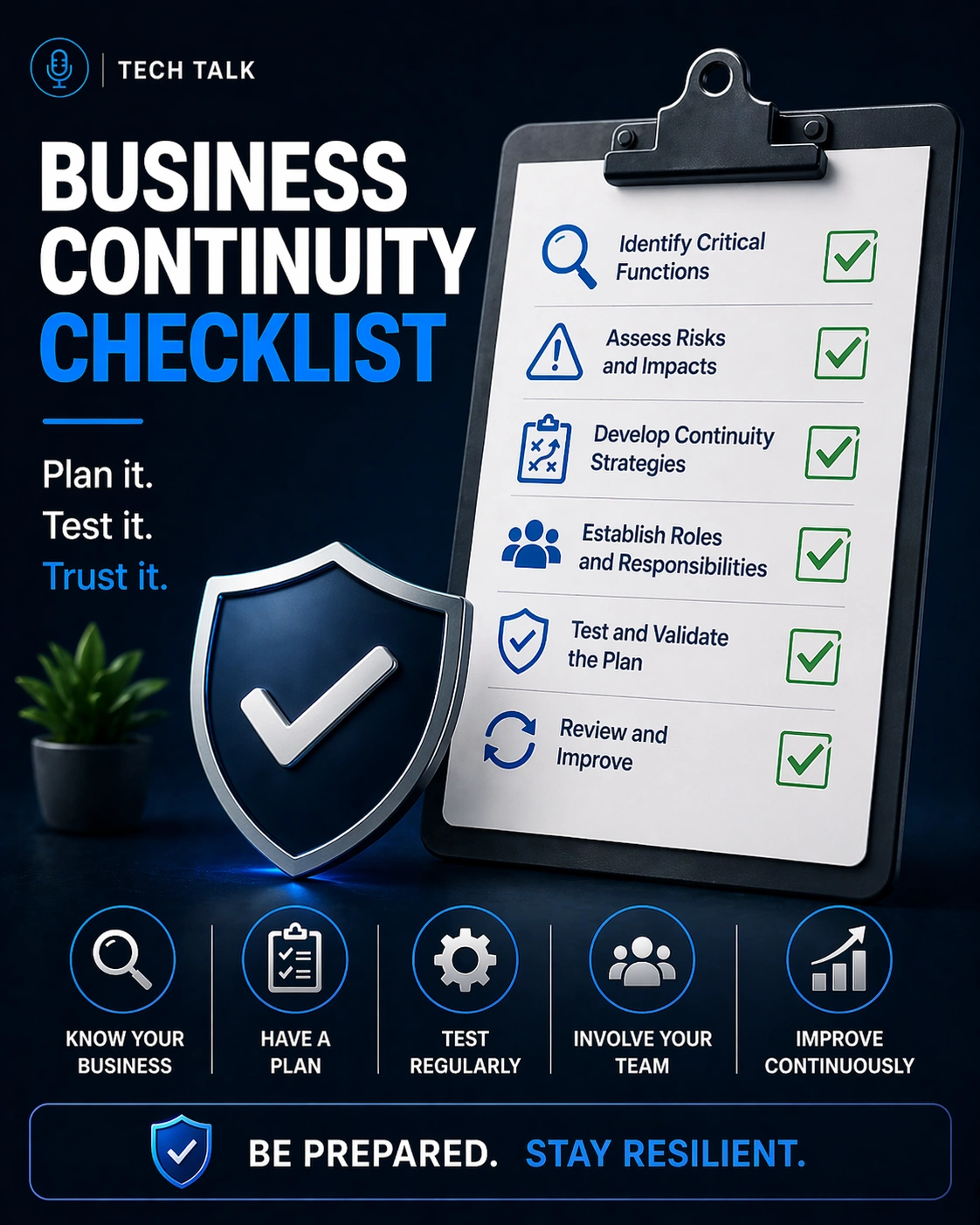
Business Continuity Checklist
1. Identify Critical Business Functions
- Define essential operations
- Identify revenue-generating activities
- Prioritize functions based on impact
👉 Focus on what must continue first
2. Assess Risks and Threats
- Identify potential disruptions (cyber, outages, supply chain)
- Evaluate likelihood and impact
- Document key risks
3. Map Dependencies
- Identify critical systems
- Document vendor and supplier dependencies
- Understand process interdependencies
You cannot protect what you do not understand — mapping dependencies is critical.
4. Define Recovery Objectives
- Establish Recovery Time Objective (RTO)
- Establish Recovery Point Objective (RPO)
- Align objectives with business impact
5. Develop Fallback Processes
- Create manual or alternative workflows
- Define reduced-operation scenarios
- Ensure critical functions can continue
6. Implement Backup and Recovery
- Set up regular data backups
- Ensure secure and redundant storage
- Test data restoration
7. Plan for System Availability
- Implement redundancy or failover where needed
- Identify single points of failure
- Reduce system dependencies where possible
8. Define Roles and Responsibilities
- Assign incident response roles
- Define decision-making authority
- Ensure team accountability
9. Establish Communication Plans
- Define internal communication processes
- Plan customer communication
- Identify alternative communication channels
10. Integrate Continuity and Recovery
- Align operational continuity with recovery processes
- Ensure coordination between teams
- Define transition back to normal operations
11. Test Your Continuity Plan
- Conduct tabletop exercises
- run simulation scenarios
- validate system recovery
A plan that is not tested should be assumed to fail.
12. Measure and Monitor Performance
- Track response times
- measure recovery performance
- evaluate operational continuity
13. Train Your Team
- ensure employees understand their roles
- conduct training sessions
- reinforce procedures regularly
14. Update and Improve Continuously
- review plans regularly
- update based on changes
- incorporate lessons learned
How to Use This Checklist
This checklist should be:
- reviewed regularly
- updated as your business evolves
- integrated into daily operations
It is not:
- a one-time activity
- a static document
Continuity is not a checklist you complete once — it is a capability you maintain over time.
Common Checklist Gaps
Organizations often:
- skip dependency mapping
- overlook communication planning
- fail to test their plans
- neglect continuous improvement
These gaps lead to:
- incomplete preparation
- unexpected failures
Quick Self-Assessment
Ask yourself:
- Are all checklist items completed?
- Has your plan been tested recently?
- Do teams understand their roles?
- Are dependencies clearly documented?
If not:
👉 your continuity planning is incomplete
If any critical checklist items are missing, your business is exposed to avoidable risk.
What This Means for Your Business
A continuity checklist helps:
- reduce risk
- improve response
- strengthen resilience
- ensure nothing is overlooked
It transforms planning into:
👉 actionable readiness
Final Thoughts
Business continuity is complex.
A checklist makes it manageable.
With a structured approach:
- preparation improves
- gaps are reduced
- resilience increases
Need help with this topic?
Make sure your backups actually work when it matters.
Most businesses discover backup failures during an outage. We help you validate recovery, reduce downtime risk, and build a system that works under pressure.
- Backup validation and testing
- Recovery time optimization
- Clear recovery documentation