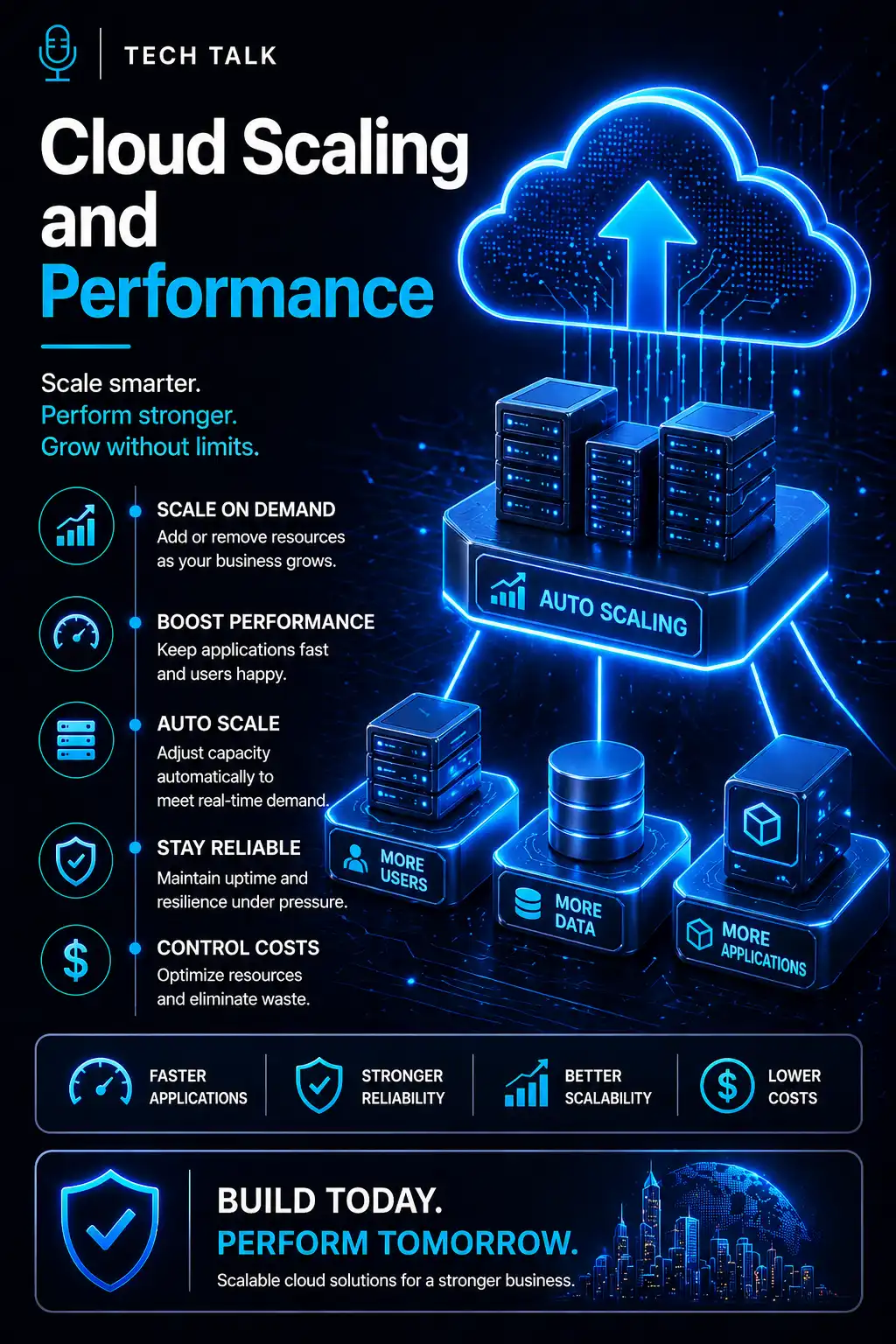
Why Cloud Scaling Matters
Cloud environments are often promoted as flexible.
But flexibility does not happen automatically.
As your business grows, systems face more demand from:
- users
- applications
- data
- integrations
- remote access
- customer activity
If your cloud environment cannot scale properly:
- applications slow down
- users experience delays
- systems become unreliable
- costs increase without better performance
👉 Cloud scaling determines whether growth improves your business or strains your systems.
Moving to the cloud does not automatically guarantee performance. Cloud environments still need proper architecture, monitoring, and scaling strategy.
What Is Cloud Scaling?
Cloud scaling is the process of:
👉 adjusting cloud resources to match business demand
Those resources may include:
- compute power
- memory
- storage
- database capacity
- network throughput
- application services
The goal is simple:
- add capacity when demand increases
- reduce unnecessary resources when demand drops
- maintain performance without overspending
Cloud Scaling vs Cloud Performance
Cloud scaling and cloud performance are related, but they are not the same thing.
Cloud Scaling
Scaling answers:
👉 Can the environment add or reduce capacity as demand changes?
Cloud Performance
Performance answers:
👉 Do systems respond quickly and reliably under real usage?
A system can scale poorly and still cost more.
A system can also scale quickly but remain slow if:
- databases are not optimized
- applications are inefficient
- network paths are weak
- storage is misconfigured
- monitoring is missing
Scaling adds capacity, but architecture determines whether that capacity actually improves performance.
Why Businesses Struggle With Cloud Performance
Cloud performance problems usually appear when demand increases.
Common triggers include:
- new employees
- new locations
- heavier application usage
- seasonal traffic spikes
- larger databases
- cloud migration growth
- more integrations
At first, the problem may look small:
- pages load slowly
- users wait longer
- reports take more time
- applications feel inconsistent
But over time, these issues become operational problems.
They can affect:
- productivity
- customer experience
- revenue
- employee satisfaction
- business continuity
Related reading:
The Two Main Types of Cloud Scaling
Cloud scaling usually falls into two categories:
- vertical scaling
- horizontal scaling
Both can improve performance, but they solve different problems.
Vertical Scaling
Vertical scaling means:
👉 increasing the power of an existing resource
Examples include:
- adding more CPU
- increasing memory
- using faster storage
- upgrading database capacity
When Vertical Scaling Helps
Vertical scaling may work well when:
- one server or database needs more power
- workload growth is predictable
- application architecture is simple
- short-term performance relief is needed
Limitations of Vertical Scaling
Vertical scaling has limits.
Eventually:
- one system can only get so large
- upgrades become expensive
- downtime may be required
- one resource may remain a single point of failure
See:
Vertical scaling can hide deeper architecture problems if it becomes the only performance strategy.
Horizontal Scaling
Horizontal scaling means:
👉 adding more resources instead of only making one resource larger
Examples include:
- adding more application servers
- distributing traffic across multiple instances
- using load balancers
- scaling containers or services
- spreading workloads across zones
When Horizontal Scaling Helps
Horizontal scaling is useful when:
- demand fluctuates
- uptime matters
- applications serve many users
- workloads can be distributed
- resilience is important
Why Horizontal Scaling Is Often Stronger
Horizontal scaling can improve:
- availability
- resilience
- performance consistency
- failure tolerance
If one instance has a problem, traffic can shift elsewhere.
This makes horizontal scaling especially important for:
- customer-facing applications
- cloud-hosted business systems
- multi-location operations
- high-demand workloads
Auto Scaling: Powerful but Not Automatic Success
Auto scaling allows cloud resources to adjust automatically based on conditions such as:
- CPU usage
- memory usage
- traffic volume
- queue depth
- request count
- scheduled demand patterns
This can help maintain performance during spikes.
But auto scaling must be configured carefully.
Poor auto scaling can cause:
- delayed response to demand
- overprovisioned resources
- unexpected cloud bills
- unstable application behavior
- scaling loops
Auto scaling is not a substitute for cloud architecture. It only works well when thresholds, workloads, and dependencies are understood.
Load Balancing and Cloud Performance
Load balancing is a key part of cloud scaling.
It distributes traffic across multiple resources so one system does not carry the entire workload.
Load balancing helps:
- reduce bottlenecks
- improve uptime
- support horizontal scaling
- route users efficiently
- isolate unhealthy systems
Without load balancing:
- one server may become overloaded
- performance may become inconsistent
- failures may impact all users
Database Scaling and Performance
Many cloud performance issues are not caused by compute resources.
They are caused by the database.
Common database bottlenecks include:
- slow queries
- poor indexing
- storage latency
- connection limits
- oversized reports
- inefficient application calls
Scaling the application layer may not solve database problems.
To improve performance, businesses may need:
- indexing reviews
- query optimization
- read replicas
- caching
- database tier adjustments
- workload separation
If the database is the bottleneck, adding more application servers may increase cost without fixing performance.
Network Performance in the Cloud
Cloud performance also depends on network design.
Problems can appear when:
- users access systems from distant regions
- traffic routes inefficiently
- VPN connections slow cloud access
- bandwidth is limited
- latency-sensitive apps are hosted poorly
For many organizations, cloud performance is tied to secure connectivity.
Related reading:
Strong network design can improve:
- application response times
- remote user experience
- multi-location performance
- cloud reliability
Cost Control and Cloud Scaling
Scaling is not just about speed.
It also affects cost.
Poor scaling can create waste through:
- oversized virtual machines
- unused resources
- always-on test systems
- unnecessary storage growth
- excessive data transfer
- inefficient auto scaling rules
Better scaling helps align cost with demand.
The goal is not always to spend less.
The goal is to spend correctly.
That means:
- critical systems get the resources they need
- unused resources are reduced
- growth is planned
- performance is measured
Common Cloud Scaling Mistakes
Avoid these mistakes:
- assuming cloud automatically scales everything
- using vertical scaling as the only strategy
- ignoring database bottlenecks
- failing to test performance under load
- setting auto scaling thresholds without review
- leaving unused resources running
- ignoring network latency
- not monitoring user experience
These mistakes create:
- slow systems
- unpredictable bills
- downtime risk
- frustrated users
How to Build a Better Cloud Scaling Strategy
A strong cloud scaling strategy should include:
- workload analysis
- performance baseline measurements
- clear scaling thresholds
- load balancing
- database optimization
- monitoring and alerting
- cost review
- failure testing
The goal is to understand:
👉 what needs to scale, when it needs to scale, and what happens if it does not.
Performance Testing Before Growth
Cloud scaling should be tested before demand arrives.
Testing may include:
- load testing
- failover testing
- database stress testing
- application response testing
- simulated traffic spikes
- recovery testing
Related reading:
Testing helps reveal:
- bottlenecks
- weak thresholds
- cost surprises
- dependency failures
If your cloud environment has never been tested under realistic demand, you may not know how it will perform when growth arrives.
Signs Your Cloud Environment Is Not Scaling Well
Warning signs include:
- applications slow down during busy periods
- users report inconsistent performance
- cloud costs rise without clear benefit
- systems require frequent manual resizing
- outages occur during traffic spikes
- dashboards show recurring bottlenecks
- remote users experience delays
- cloud alerts are ignored or missing
If these signs are present, scaling may not be aligned with real workload needs.
What This Means for Your Business
Cloud scaling affects more than infrastructure.
It impacts:
- employee productivity
- customer experience
- operational stability
- cybersecurity resilience
- business continuity
- cost control
When cloud scaling is designed correctly:
- performance remains stable
- resources adjust to demand
- outages are easier to contain
- growth becomes easier to support
When cloud scaling is ignored:
- growth creates friction
- costs become unpredictable
- systems fail under pressure
Cloud scaling is not just a technical setting. It is a business resilience strategy.
Final Thoughts
Cloud performance does not happen by accident.
It depends on:
- architecture
- monitoring
- scaling rules
- workload design
- network quality
- testing
The cloud gives businesses powerful flexibility.
But that flexibility only becomes valuable when systems are designed to use it correctly.
If your cloud environment is slow, expensive, or difficult to manage, the problem may not be the cloud itself.
It may be the scaling strategy behind it.
Next Step
If your cloud systems are slowing down as your business grows, now is the time to evaluate the architecture behind them.
Start by reviewing:
- current workloads
- performance bottlenecks
- cloud costs
- scaling rules
- database health
- network design
Need help with this topic?
Make sure your backups actually work when it matters.
Most businesses discover backup failures during an outage. We help you validate recovery, reduce downtime risk, and build a system that works under pressure.
- Backup validation and testing
- Recovery time optimization
- Clear recovery documentation