Why This Difference Matters
Most businesses believe they are protected because they have backups.
They assume:
- data is safe
- systems can be restored
- downtime will be temporary
But when disruption happens:
- operations stop
- employees cannot work
- customers experience delays
That gap exists because:
👉 backup & recovery protects data — business continuity protects the business itself
Backups restore systems — they do not keep your business running during disruption.
What Is Backup & Recovery?
Backup and recovery refers to the ability to:
👉 store copies of data and restore systems after failure
It focuses on:
- data protection
- system restoration
- recovery processes
Backup answers:
👉 Can your data be recovered?
Recovery answers:
👉 How quickly can systems be restored?
What Is Business Continuity?
Business continuity is the ability to:
👉 maintain critical operations during and after disruption
It focuses on:
- keeping business functions active
- maintaining service delivery
- adapting operations when systems are unavailable
Continuity answers:
👉 How does your business continue to operate without its normal systems?
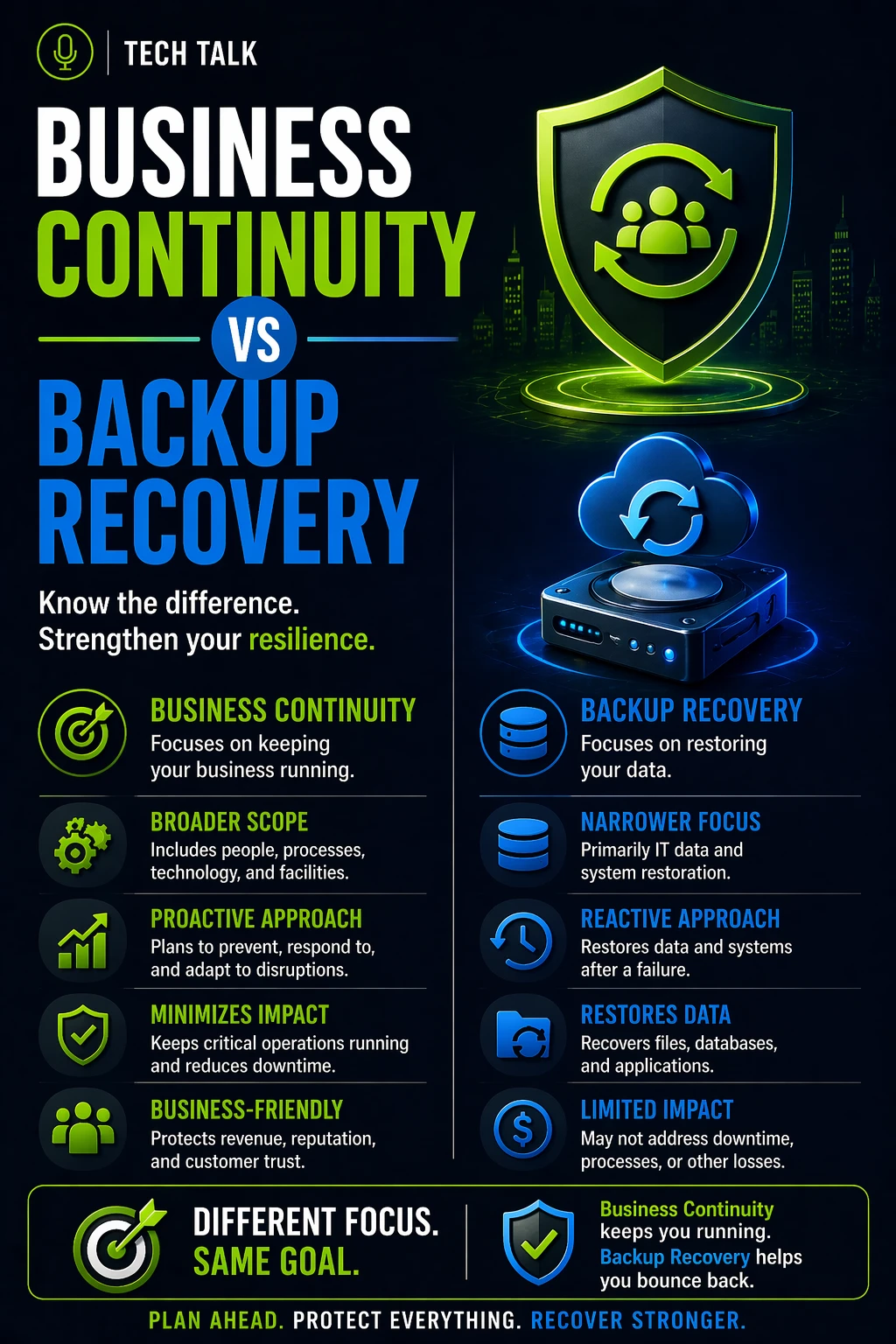
Business Continuity vs Backup & Recovery (Core Difference)
Business Continuity
- Keeps operations running during disruption
- Focuses on people, processes, and systems
- Maintains service delivery
- Active during the incident
Backup & Recovery
- Protects data and restores systems
- Focuses on storage and restoration
- Returns systems to normal
- Begins after failure occurs
Backup & recovery without continuity means your business stops while systems are being restored.
What Happens in a Real Incident
Consider a realistic scenario:
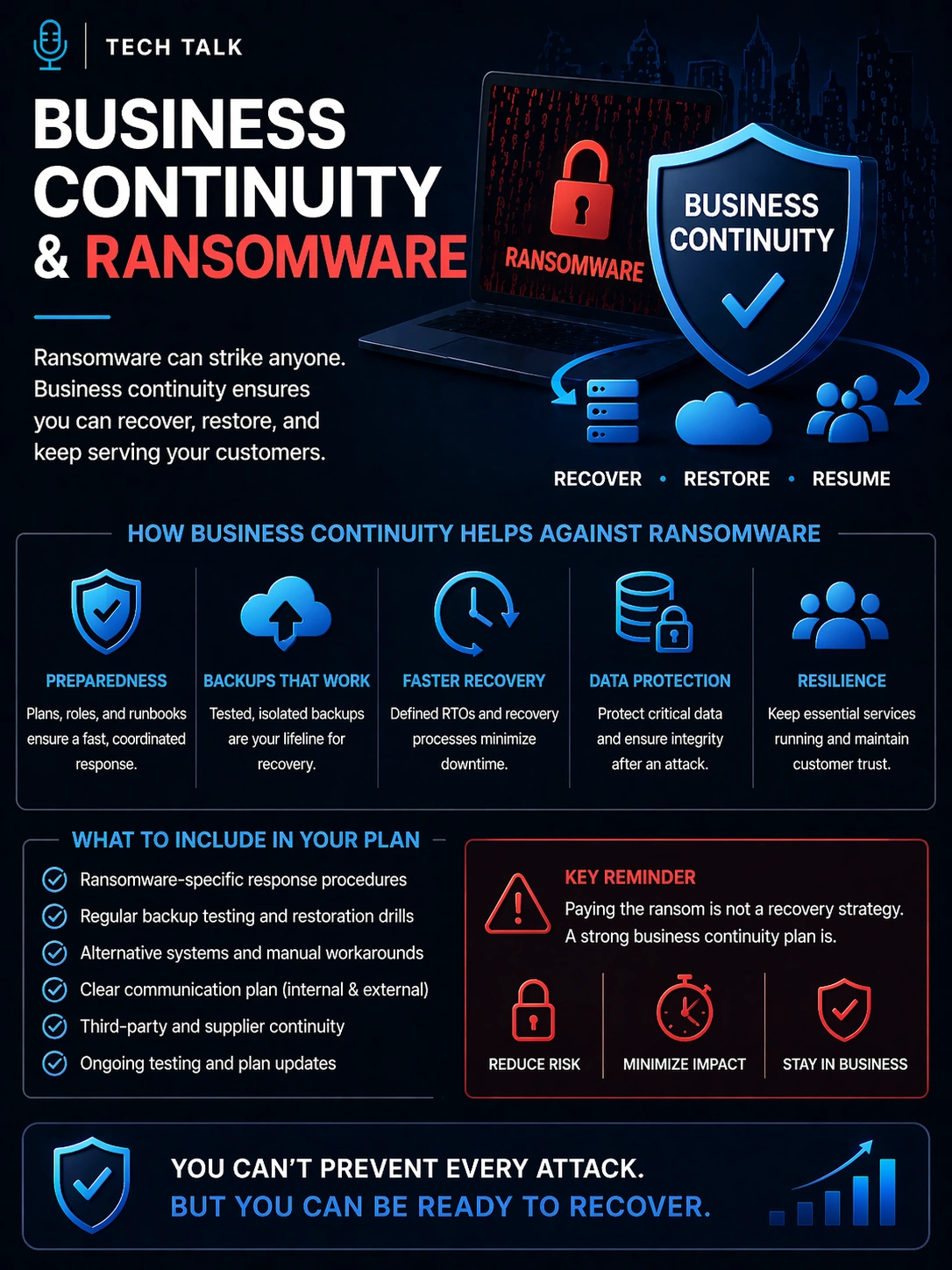
- a ransomware attack encrypts systems
- applications become unavailable
- employees lose access to tools
With Backup & Recovery Only:
- recovery begins
- systems are restored over time
- operations remain down until recovery completes
With Business Continuity:
- alternative processes are activated
- critical operations continue manually or via fallback systems
- customer impact is reduced
Meanwhile:
- backup and recovery processes run in parallel
Backup & recovery restores systems — continuity ensures the business does not stop while that happens.
Why Backups Alone Are Not Enough
Backups are essential — but incomplete.
They solve:
- data loss
- system restoration
They do not solve:
- operational downtime
- process disruption
- communication breakdown
- employee productivity
This leads to:
- extended business interruption
- customer dissatisfaction
- financial loss
Backups protect your data — not your ability to operate.
How They Work Together
Business continuity and backup & recovery must operate together.
- continuity maintains operations
- backup & recovery restore systems
- both reduce overall impact
A coordinated approach ensures:
- reduced downtime
- minimized data loss
- continued service delivery
The Timeline of a Disruption
Understanding timing is critical.
-
Disruption Occurs
- systems fail or become unavailable
-
Continuity Activates
- fallback processes begin
- operations continue at reduced capacity
-
Backup & Recovery Begins
- data is restored
- systems are rebuilt
-
Return to Normal Operations
- continuity processes phase out
- full system functionality resumes
Continuity starts immediately — backup and recovery take time.
Where Most Businesses Get It Wrong
Common misconceptions include:
- “We have backups, so we’re covered”
- “Recovery will be fast enough”
- “Downtime won’t matter”
In reality:
- recovery delays are common
- operations cannot pause indefinitely
- customers expect continuity
Businesses plan for restoring systems — but not for operating without them.
What a Complete Strategy Looks Like
A complete approach includes:
Business Continuity
- operational fallback processes
- communication plans
- defined roles and responsibilities
- continuity testing
Backup & Recovery
- local and cloud backups
- secure and immutable storage
- recovery infrastructure
- recovery testing
Together, they create:
👉 resilience
How to Know If You Have a Gap
You may be relying too heavily on backup and recovery if:
- operations stop during outages
- employees cannot function without systems
- continuity processes are undocumented
- recovery is your only plan
If your business cannot operate during disruption, backup and recovery alone are not enough.
What This Means for Your Business
The difference between continuity and backup & recovery determines:
- how long your business is down
- how customers experience disruption
- how much revenue is impacted
- how resilient your operations are
Backups protect your data — continuity protects your business.
Final Thoughts
Backup and recovery are essential.
But they are only part of the solution.
Business continuity ensures your business survives the disruption itself.
Need help with this topic?
Make sure your backups actually work when it matters.
Most businesses discover backup failures during an outage. We help you validate recovery, reduce downtime risk, and build a system that works under pressure.
- Backup validation and testing
- Recovery time optimization
- Clear recovery documentation