Why IT Infrastructure Matters for Continuity
Business continuity depends on more than planning.
It depends on:
👉 whether your systems can support operations during disruption
Many organizations focus on:
- continuity plans
- recovery procedures
But overlook:
- infrastructure design
A continuity plan cannot compensate for infrastructure that fails under pressure.
What Is IT Infrastructure in the Context of Continuity?
IT infrastructure includes:
- servers and storage
- networks and connectivity
- cloud environments
- applications and integrations
In business continuity, infrastructure determines:
👉 whether systems remain available or fail during disruption
How Infrastructure Impacts Business Continuity
Infrastructure directly affects:
- system availability
- recovery speed
- operational stability
If infrastructure is weak:
- systems fail easily
- recovery takes longer
- continuity strategies break down
If infrastructure is resilient:
- systems remain available
- failures are isolated
- operations continue
The Difference Between Designed-for-Uptime vs Designed-for-Failure
Many systems are built for:
- normal operations
- efficiency
- cost optimization
But not for:
- failure scenarios
- disruption
- recovery under pressure
Resilient infrastructure is designed for failure — not just for uptime.
Key Infrastructure Components That Impact Continuity
1. Redundancy
- multiple systems performing the same function
- eliminates single points of failure
Examples:
- multiple servers
- redundant network paths
- duplicate storage systems
2. High Availability
- systems designed to remain operational
- automatic failover during failure
Ensures:
- minimal disruption
- continuous access
3. Backup and Recovery Systems
- protect data
- enable restoration
But:
- do not guarantee operational continuity
See
backup and recovery resilience
4. Cloud and Hybrid Architecture
- distributed infrastructure
- scalable resources
- geographic redundancy
Benefits:
- improved resilience
- reduced dependency on a single environment
5. Network Resilience
- multiple internet connections
- redundant routing
- failover connectivity
Without this:
- access to systems may be lost entirely
What Happens With Poor Infrastructure Design
A typical scenario:
- a critical system fails
- no redundancy exists
- dependent systems stop
At that point:
- operations halt
- recovery becomes urgent
- impact increases
Common outcomes include:
- extended downtime
- cascading failures
- inability to maintain operations
Poor infrastructure design creates hidden weaknesses that only appear during disruption.
The Role of Infrastructure in Real Incidents
During disruption:
- infrastructure determines system availability
- continuity plans rely on infrastructure stability
- recovery depends on infrastructure capability
Without resilient infrastructure:
- continuity cannot be sustained
- recovery is delayed
Why Redundancy Is Critical
Redundancy ensures:
- no single failure stops operations
- systems can fail without causing disruption
Without redundancy:
- one failure = full outage
See
operational risk
Common Infrastructure Mistakes
Avoid these pitfalls:
- relying on a single server or system
- lack of network redundancy
- no failover capability
- over-reliance on backups
- ignoring infrastructure dependencies
These create:
- single points of failure
- increased disruption risk
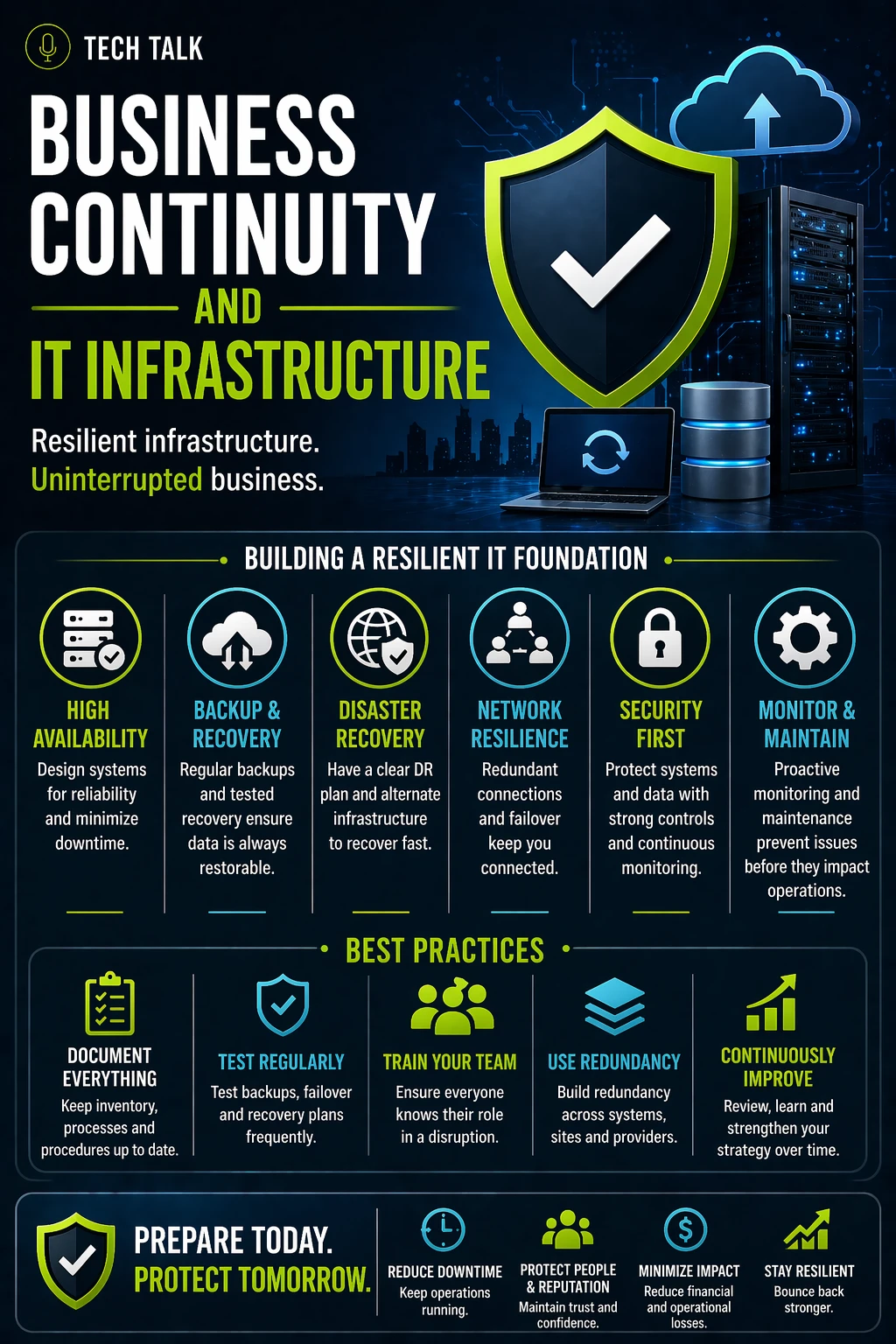
How to Build Resilient Infrastructure
To improve continuity:
- implement redundancy across systems
- design for failover and high availability
- distribute systems across environments
- align infrastructure with continuity planning
- test infrastructure under failure scenarios
See:
How to Know If Your Infrastructure Is a Risk
Warning signs include:
- outages cause complete operational shutdown
- no backup systems are available
- recovery takes longer than expected
- dependencies are unclear
If one system failure can stop your business, your infrastructure is not resilient.
What This Means for Your Business
IT infrastructure determines:
- whether systems stay online
- how disruption impacts operations
- how quickly recovery occurs
Your infrastructure is the foundation of your continuity strategy — if it fails, everything else follows.
Final Thoughts
Continuity is not just planning.
It is design.
Without resilient infrastructure:
- plans cannot execute
- operations cannot continue
With the right design:
- systems adapt
- operations continue
- disruption impact is reduced
Need help with this topic?
Make sure your backups actually work when it matters.
Most businesses discover backup failures during an outage. We help you validate recovery, reduce downtime risk, and build a system that works under pressure.
- Backup validation and testing
- Recovery time optimization
- Clear recovery documentation