Why Maintaining Operations During an Outage Matters
Outages are inevitable.
They can be caused by:
- system failures
- network issues
- cyber incidents
- cloud disruptions
When they happen:
- systems become unavailable
- access is lost
- workflows are interrupted
An outage does not have to stop your business — but without preparation, it usually does.
The goal is not to avoid outages.
👉 It is to continue operating through them.
What Happens When Operations Stop
Without a continuity strategy:
- employees cannot perform their work
- communication becomes inconsistent
- customer service is disrupted
As the outage continues:
- productivity drops
- revenue is impacted
- backlogs grow
See
downtime cost
The Difference Between Waiting and Operating
During an outage, businesses fall into two categories:
Waiting for Recovery
- operations stop
- teams wait for systems to return
- impact increases over time
Maintaining Operations
- fallback processes activate
- teams adapt
- work continues at reduced capacity
The difference is not the outage — it is how the business responds to it.
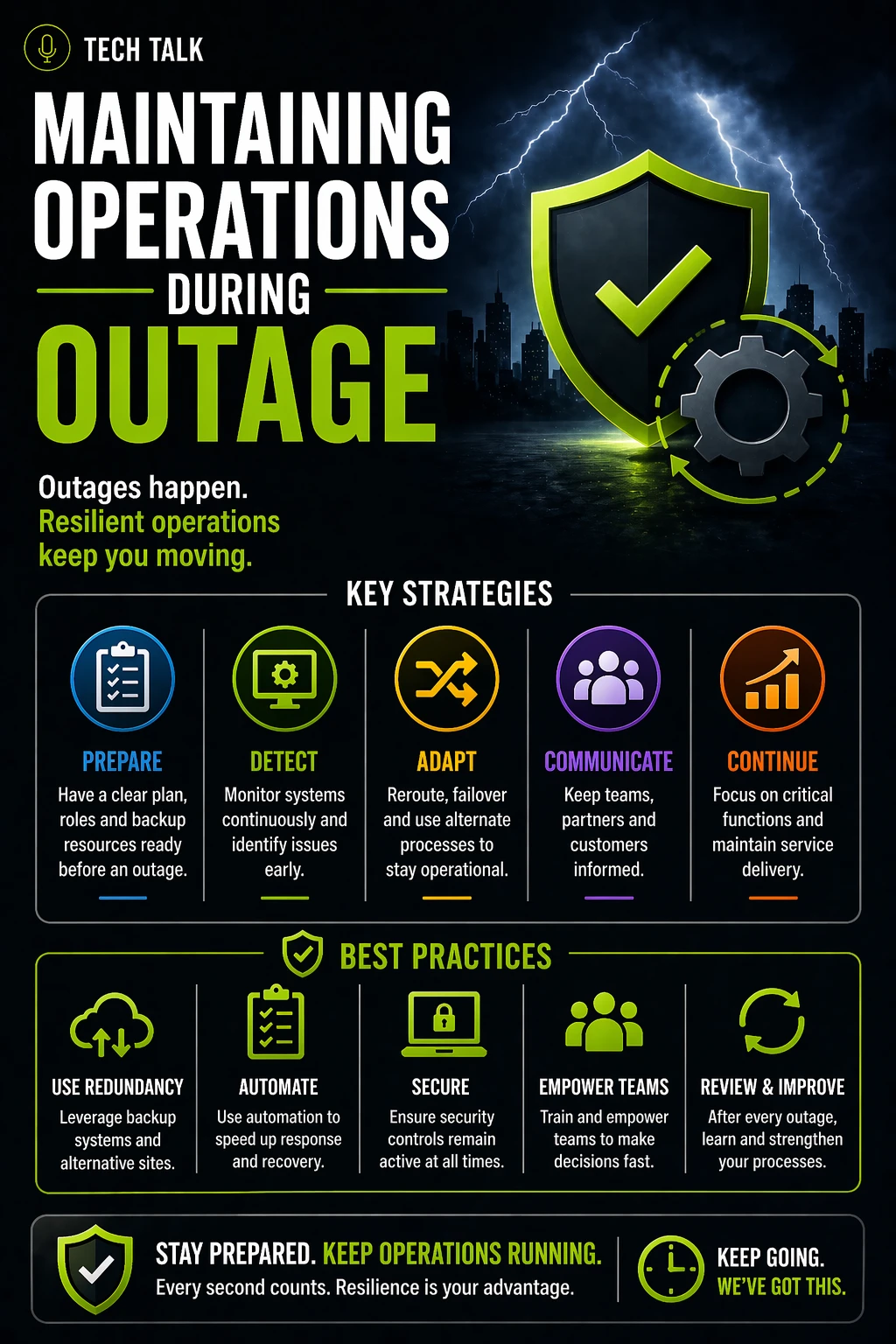
How to Maintain Operations During an Outage
Maintaining operations requires preparation.
1. Define Critical Functions
Identify what must continue:
- customer-facing services
- revenue-generating activities
- essential operations
Prioritize:
👉 what matters most
2. Create Fallback Processes
Define how work continues without systems.
Examples:
- manual workflows
- alternative tools
- simplified processes
These ensure:
- operations continue even when systems fail
3. Prepare Your Workforce
Employees must know:
- what to do during an outage
- how to execute fallback processes
- who is responsible for what
Without preparation:
- confusion delays response
4. Establish Communication Channels
Communication must continue even if primary systems fail.
Define:
- backup communication tools
- escalation procedures
- customer communication plans
5. Use Alternative Technology
Where possible:
- leverage cloud-based tools
- use redundant systems
- enable remote access
See
backup and recovery resilience
6. Align With Recovery Efforts
While operations continue:
- recovery should happen in parallel
- systems should be restored strategically
See
business continuity recovery process
What This Looks Like in Practice
During an outage:
- critical functions continue using fallback processes
- employees remain productive
- communication stays structured
Instead of stopping:
👉 the business adapts
Common Mistakes During Outages
Avoid these pitfalls:
- waiting for systems instead of acting
- lacking defined fallback processes
- poor communication
- unclear roles
- relying entirely on technology
These lead to:
- extended downtime
- increased impact
Why Preparation Is Critical
You cannot build continuity during an outage.
It must exist before.
Preparation includes:
- planning
- training
- testing
See
how to build a continuity plan
If your plan is not defined before an outage, your response will be reactive and ineffective.
How to Know If You Are Prepared
You are prepared if:
- employees can continue working without systems
- fallback processes are documented
- communication remains consistent
- critical functions continue
If not:
- your business is vulnerable
If your business stops during an outage, continuity planning is incomplete.
What This Means for Your Business
Maintaining operations during an outage determines:
- how much work continues
- how customers experience disruption
- how much revenue is impacted
Outages test your ability to operate — not just your ability to recover.
Final Thoughts
Outages will happen.
The outcome depends on your preparation.
Without continuity:
- your business waits
With continuity:
- your business works
Need help with this topic?
Make sure your backups actually work when it matters.
Most businesses discover backup failures during an outage. We help you validate recovery, reduce downtime risk, and build a system that works under pressure.
- Backup validation and testing
- Recovery time optimization
- Clear recovery documentation