What Cloud Downtime Really Means
Cloud downtime occurs when systems become unavailable or inaccessible.
This can include:
- complete outages
- partial service disruption
- degraded performance
Downtime impacts:
- users
- operations
- revenue
If you need foundational context, start with what cloud infrastructure is.
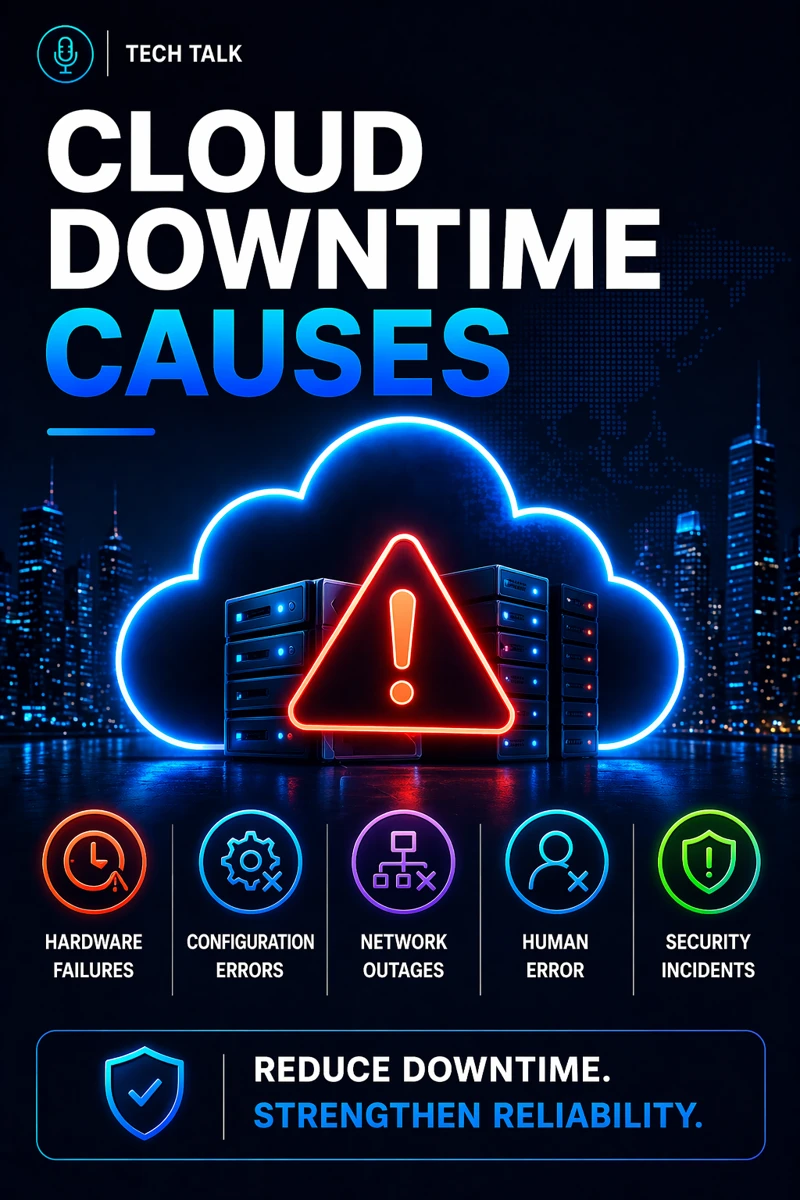
Cloud downtime is rarely random — it is usually caused by preventable issues.
Why Cloud Downtime Happens
Downtime typically results from:
- poor planning
- weak architecture
- lack of monitoring
- misconfiguration
These are operational failures.
Not technology failures.
This makes downtime prevention a core part of cloud infrastructure reliability.
The Most Common Causes of Cloud Downtime
Cloud downtime usually comes from several key causes.
Misconfigurations (Incorrect Settings)
Misconfigured systems can cause:
- service failures
- outages
This aligns with cloud misconfigurations and risk.
Lack of Redundancy (Single Points of Failure)
Without redundancy:
- systems fail completely when components fail
This aligns with cloud redundancy strategy.
Scaling Failures (Overload)
Systems may fail under load.
Causes include:
- insufficient resources
- poor scaling
This aligns with scaling cloud infrastructure.
Monitoring Gaps (No Visibility)
Without monitoring:
- issues go undetected
- response is delayed
This aligns with cloud infrastructure monitoring.
Dependency Failures (Interconnected Systems)
Cloud systems rely on multiple components.
Failure in one system can impact others.
These dependencies are explained in cloud infrastructure explained.
Downtime is usually caused by misconfiguration, lack of redundancy, scaling issues, or poor monitoring.
The Hidden Cause: Single Points of Failure
Many environments rely on:
- one server
- one region
- one system
This creates a single point of failure.
This is common in environments lacking high availability in cloud infrastructure.
Single points of failure are one of the most common causes of downtime.
What Makes Downtime Worse
Downtime becomes worse when:
- failover is not implemented
- recovery plans are missing
- response is delayed
These issues are often tied to cloud failover strategy.
The Role of Architecture in Preventing Downtime
Architecture determines uptime.
This includes:
- redundancy
- load balancing
- distributed systems
This aligns with cloud infrastructure architecture.
Infrastructure design determines whether systems fail or remain available.
The Role of Monitoring in Preventing Downtime
Monitoring enables fast response.
This includes:
- real-time alerts
- performance tracking
This aligns with cloud infrastructure monitoring.
The Role of Automation in Reducing Downtime
Automation improves response time.
This includes:
- auto-scaling
- automated failover
This aligns with cloud infrastructure automation.
The Role of Disaster Recovery
Disaster recovery ensures systems can recover.
This includes:
- backup systems
- recovery plans
This aligns with cloud disaster recovery explained.
The Complexity of Downtime
Downtime often involves:
- multiple systems
- dependencies
- cascading failures
This creates:
- widespread impact
- difficult troubleshooting
These challenges are explained in cloud infrastructure explained.
What a Highly Available Environment Looks Like
A strong environment includes:
- redundancy
- failover
- monitoring
- automation
It must also align with cloud infrastructure reliability.
Preventing downtime requires redundancy, monitoring, and automated response.
How Downtime Impacts Business Operations
Downtime directly affects:
- productivity
- revenue
- customer experience
Poor infrastructure leads to:
- lost revenue
- operational disruption
Downtime can have immediate and long-term financial impact.
How to Know If Your Infrastructure Is at Risk of Downtime
You may have a gap if:
- systems lack redundancy
- monitoring is limited
- scaling is inconsistent
- outages occur
If your infrastructure lacks redundancy or visibility, downtime risk is high.
How to Prevent Cloud Downtime
Start with:
- designing for redundancy
- implementing monitoring
- enabling auto-scaling
- creating failover plans
These steps align with broader cloud infrastructure strategy.
How This Connects to Other Cloud Topics
Cloud downtime connects to:
- what is cloud infrastructure
- cloud infrastructure reliability
- cloud redundancy strategy
- cloud failover strategy
- cloud infrastructure monitoring
What This Means for Your Business
Your ability to prevent downtime determines:
- system availability
- operational continuity
- customer satisfaction
It is not optional.
It is critical.
Downtime is preventable with the right architecture and management practices.
Final Thoughts
Cloud downtime is common.
But it is preventable.
When managed correctly:
- systems remain available
- risks are minimized
- operations are stable
Need help with this topic?
Make sure your backups actually work when it matters.
Most businesses discover backup failures during an outage. We help you validate recovery, reduce downtime risk, and build a system that works under pressure.
- Backup validation and testing
- Recovery time optimization
- Clear recovery documentation